Table of contents
- When “prove it” gets in the way of reading
- Why inner voice matters for complex learners
- When demonstrating reading becomes the hardest part
- Are they emergent or conventional? It’s an important distinction
- What districts can control: the conditions that make literacy possible
- Where to go from here
- Frequently Asked Questions
A student is working on blending the sounds in the word dog. The reading specialist says each sound, asks the student to blend “in their head,” and then waits for a response.
The student understands the task, but demonstrating it is harder. Some students struggle to respond quickly. Others find pointing, speaking, or navigating a device more demanding than the reading itself. And for many learners with complex profiles - including those with autism, sensory or motor differences, or communication challenges - every response option carries its own trade off.
Spoken responses may not clearly show what the student knows. Picture choices can invite guessing. Navigating a device can become more of a motor task than a reading task.
Moments like this appear often when teaching emergent readers with complex communication or learning needs. The literacy goal is clear. Demonstrating it is not always straightforward.
Emergent or conventional? The question that influences everything.
In Comprehensive Literacy for All (CLFA) classrooms, one of the most important instructional questions is whether a student is currently an emergent or conventional reader. The answer shapes everything, from the texts students encounter to the kinds of writing and word work they experience each day.
Many students with complex learning profiles - students with autism, intellectual disabilities, complex bodies, or communication challenges - remain emergent readers longer than their peers. For these students, literacy instruction must create the conditions that enable reading and writing to develop.
When “prove it” gets in the way of reading
Special education teams need evidence that students can blend and decode. At the same time, they must honor different ways students communicate and respond without adding so much scaffolding that the literacy skill itself becomes hard to see. The Science of Reading has helped bring phonics, decoding, and structured literacy back into focus.
But for teams working to implement CLFA, these expectations raise new questions when students have complex communication or learning needs.
- How do we assess phonics and blending when students cannot easily demonstrate their thinking aloud, in writing, or through quick motor responses?
- How do we build inner voice without turning communication supports into a test-answer routine?
- What do we do with core programs like UFLI and their decodable passages when students interact with text in different ways?
As special education teams work to build CLFA-aligned systems, they are trying to balance all of this by supporting inner voice, respecting the different ways students communicate and respond, and still meeting phonics and assessment expectations.
In practice, this means designing literacy lessons where students explore the same rich texts as their classmates but access them in ways that match their communication and learning styles. Tools like Clicker can help make this possible by giving students flexible ways to access text and express their ideas.
In our “CLFA book collection” webinar, Rose Racicot and Barb Lark demonstrate this approach. Rose is an occupational therapist and assistive technology expert, and Barb is an experienced speech-language pathologist. Together, they show how to pair the CLFA book collection with Clicker and how it works in real classrooms.

Why inner voice matters for complex learners
Inner voice is especially important for students with complex communication or learning needs, including those who use Augmentative and Alternative Communication (AAC). Some learners know their letter sounds for years but still struggle to blend and read words. Often, they have not yet built a strong internal voice to “hold” those sounds. When adults regularly say the sounds and words for students, it can unintentionally slow the development of that internal processing.
Karen Erickson, co-author of Literacy for All, calls inner voice a tool that helps readers hold words in memory. When a student's inner voice is weak or not used, they may recognize individual words or follow along when someone reads aloud. However, they may struggle to read silently and understand on their own. For students with complex communication needs - including those who rely on AAC - learning how to use an inner voice is an important step in moving beyond early word reading.
During the webinar, Barb revisited a core CLFA principle that aligns with this research:
“Emergent literacy is highly dependent upon the nature, frequency and accessibility and interpretability of experiences with print… and the experiences really need to carry a high level of meaning for each individual student in order for it to be at its most successful.”
Inner voice grows when students have many meaningful experiences. They need easy-to-understand text that connects to what they care about. That is why the CLFA book collection centers on rich shared reading, shared writing, alphabet knowledge, phonological awareness, and self‑selected reading - not rapid‑fire “What word is this?” probes.
This shift moves the focus toward daily conditions that make blending possible. Students have regular and valuable print experiences every day. Over time, repeated exposure helps students recognize words more automatically. This helps them develop their inner voice and gain confidence in understanding connected text.
When demonstrating reading becomes the hardest part
Another challenge appears when literacy activities become focused on how students respond rather than what they know. In some phonics lessons, the process of responding- whether through speaking, selecting a picture, navigating a device, or writing - can be so demanding that the focus shifts away from the literacy skill entirely. This is not only a challenge for students who use AAC. It applies to many emergent readers with complex learning needs: students whose motor demands are high, whose processing speed differs from their peers, or whose attention is consumed by the mechanics of the response.
The webinar addresses this directly. When we looked at the CLFA activity plan for The Jacket I Wear in the Snow, Barb explained that her planning documents are “idea ticklers,” not test scripts. They focus on shared reading, shared writing, predictable chart writing, and extension activities like cooking or sequencing. These tasks invite real communication, including comments, connections, and questions.
Rose added, “Clicker provides a unique way to provide choices for accessibility… to scaffold all these different writing options… so that every student in a classroom - a diverse group of students - can access that content.”
For special education leaders, this approach has clear implications:
- Use flexible tools first for authentic reading and writing experiences: shared writing, independent writing, and composing with support.
- Use low-tech options such as small picture arrays, Elkonin boxes, or silent pointing when you need clean decoding data.
Are they emergent or conventional? It’s an important distinction
Many special educators also ask how to adapt UFLI decodable passages for students who engage with text differently. CLFA invites a different starting point: is this learner primarily emergent or conventional right now?
In the webinar, Barb showed how the CLFA book collection differentiates support:
- Emergent learners start with shared reading and shared writing, rich oral language, alphabet and phonological awareness, and lots of “looking at and listening to” books, even when they are older students.
- Learners who are becoming conventional readers get more guided reading, word study, self‑directed reading, and writing, but they still benefit from shared reading.
Barb told the story of a sixth‑grade student with a complex body and sensory profile. This student used partner‑assisted scanning and was just starting eye gaze. Her goal for the year was “to learn to read and write.” She is an emergent learner, but her age does not cut her off from full CLFA instruction.

Many practitioners are moving from a “can’t do yet” mindset to a “can do with the right supports” mindset. Instead of deciding if a student isn’t ready for inner voice or certain comprehension tasks because of age or a developmental label, they look at what the student can do with print, language, and communication in real situations and build from there.
For SPED directors, this is a systems question. Do your assessments, schedules, and staffing patterns leave room for older emergent learners to get strong emergent instruction? Or are these students being pushed into conventional routines too early because of grade level or program structure?
What districts can control: the conditions that make literacy possible
CLFA also names conditions for learning. These include:
- enough time
- comprehensive instruction
- knowledgeable adults
- accessible ways to communicate and respond
- personal connection to the curriculum
- repetition with variety
- cognitive engagement and clarity
- encouragement of risk‑taking
- high expectations.
These are factors districts can manage with schedules, materials, coaching, and staffing to make comprehensive literacy possible for complex learners.
Chapter 2 of CLFA “breaks down the critical and crucial components to enable successful comprehensive literacy instruction” and notes that most of these are adult-dependent, some are system‑dependent, and many require mindset shifts for practitioners.
Our webinar gives concrete pictures of what these conditions look like when they are in place:
- Significant time allocation. Barb’s activity plans expect multiple readings of the same book, shared writing across five days, and repeated chances to revisit vocabulary and ideas in different ways.
- Flexible means of access and interaction. Rose shows how features like switch access, recorded speech, interactive books, and talking word processors let students with different motor and sensory needs work with the same texts.
- Cognitive clarity and knowledgeable others. The session names emergent vs conventional, connects CLFA strategies to UDL, and shows where Clicker Sets and Clicker Analytics fit into district goals and data systems.
Without these conditions, literacy instruction can narrow over time - drifting toward easier tasks, compliance responses, and missed opportunities for the genuine reading and writing development that complex learners deserve.
Where to go from here
If any of these situations feel familiar, the blending task that turns into a motor test, the decodable passage that overwhelms a student who engages with text differently, the tension between inner voice and adult modeling- you are not alone.
You also do not have to solve these problems by yourself or start from zero.
In the CLFA + Clicker webinar, you and your team will see:
- CLFA’s core beliefs and conditions for learning in action across a range of complex learner profiles.
- Concrete examples of shared reading, predictable chart writing, and book‑based routines for both emergent and conventional learners using Clicker.
- How tools like Clicker Books, Talk, Writer, and Analytics can support expression, access, and data - without turning any one tool into a “test answer machine.”
If you are ready to move beyond “Can this student tap the right symbol?” and toward “Are we giving this student the conditions, tools, and time they need to become a reader and writer?”, here is a next step:
Watch the webinar with your team. Bring one real student or classroom to mind. As you watch, note each time you think, “This would solve that problem we keep talking about.” Then use CLFA’s conditions for learning as your checklist for what needs to change in your system next.
Watch the webinar now:
Frequently Asked Questions
Can Clicker resources be used across different devices and platforms?
Yes. Clicker Sets run across Windows, Mac, Chromebook, and iPad.
Can teachers digitize books to use with Clicker for students with disabilities?
Yes. Under the Chafee Amendment, educators can digitize copyrighted books for accessibility if the student has an IEP or 504 plan and owns the physical copy. Many teams also use Creative Commons images or the Crick resource library when building digital versions.
Does Clicker support alternative access methods like switches or eye gaze?
Yes. Clicker supports a range of accessibility options including switch access, eye gaze systems, and other adapted inputs. On computers, these settings can integrate with dedicated eye-gaze devices or external bars connected to a laptop or tablet.
What kind of data can Clicker Analytics provide for educators?
Clicker Analytics shows how students produced a piece of writing, including which supports were used, which word grids were accessed, and where speech support helped. Teachers can also add notes to document instructional observations and share insights across multidisciplinary teams.
How can teams start using Clicker with CLFA resources?
Many districts begin with the CLFA book collection activity plans and use Clicker to support shared reading, predictable chart writing, and scaffolded writing tasks. Teams can adapt supports depending on whether students are emergent or conventional readers.
Is there a way to try Clicker before purchasing?
Yes. Schools can participate in a 90-day Clicker Pilot Program, which includes training and implementation support so teams can evaluate how it works in their classrooms.
Table of contents
I had the opportunity to travel across Washington, meeting with an incredible range of school districts that are using, or piloting, Clicker. From hands-on trainings with long-time Clicker users to conversations with teams just beginning their Clicker journeys, one thing was undeniably clear…
…when tools are flexible, accessible, and respectful of teacher time, they truly make an impact.

The following points are my biggest takeaways from learning directly from educators in Washington:
What current Clicker users are telling us
Quick, flexible editing matters
Staff repeatedly highlighted how Clicker gives them the flexibility to respond in the moment - adapting support on the fly as lessons unfold.
Some of the most useful strategies discussed include:
- Turning a Clicker Board into a Word Bank - as can be seen in the example below, giving students immediate access to relevant vocabulary that they fed into lessons and topics
👉 Turn a Clicker Board into a Word Bank


- Creating Sentence Sets as students talk through ideas - when teachers do this, instruction can follow student thinking in real time
👉 Create and edit a Sentence Set
- Using Shift + Click to edit pre-made LearningGrids - staff especially love having a ready-made starting point that can be quickly personalized to fit exactly what’s needed
👉 Free Clicker teaching resources
These small efficiencies make a big difference, supporting engagement without interrupting the flow of teaching.
Global access is key to creating a truly inclusive technology ecosystem
All districts need to start somewhere, and sometimes somewhere is small with just a few users.
While some districts begin with Clicker licenses assigned to individual users, educators were clear: for inclusive technology like Clicker to work seamlessly, we need to build towards every student having access.
When everyone can participate without barriers:
- Lessons run more smoothly
- Everyone feels included
- Training and technical support are simplified
- Teachers spend less time customizing for just one student
- Students remain engaged and independent
Equitable, classroom-wide access directly supports student success.
What we learned from school districts piloting Clicker
Limited budgets require meaningful data
With funding tighter than ever, districts told us they need evidence that Clicker works before committing to a purchase. That's where our Clicker Pilot Program plays a particularly critical role.
What districts receive:
- A free 90-day pilot of Clicker
- Access across platforms (iPad, Chromebook, Windows/Mac)
- Ongoing guidance and collaboration from our team
Throughout the pilot, we collaborate with districts to collect:
- Meaningful usage data
- Educator feedback
- Student impact testimonials
This makes purchasing decisions clearer, more confident, and data-informed.
Longer pilots lead to better decisions
Short trials can provide a snapshot of how a tool could help, but meaningful change in classrooms takes time. Districts told us emphatically that our 90-day pilot period was key to properly embedding the software and measuring its impact.
A 90-day pilot supported by our team allows time to:
- Optimize rollout and setup, while ensuring there’s still space to properly explore and evaluate Clicker in the classroom
- Build confidence and familiarity across staff
- Use Clicker in a range of real classroom situations, not just initial activities
- Gather meaningful “before,” “during,” and “after” evidence of student progress and engagement
Final reflections
My time in Washington reinforced what we hear often: educators want tools that are powerful yet simple, flexible yet reliable, and always centered on student success.
I’m grateful to the districts who welcomed me into their schools to collaborate, share honest feedback, and continue to help shape Clicker’s future. Their insights ensure we keep building solutions that truly support both teachers and students.

Table of contents
Elyse Reynolds wasn’t looking for evidence of adoption for assistive technology. She was just walking down a hallway.
But there it was, Clicker, open on a student’s laptop while writing. She didn’t recognize this particular student, and she felt that small, private win. "Clicker is just embedded," she'll tell you. "It's being used."
That's what four years of district-wide adoption looks like at Lake Washington School District, a district of 32 elementary schools outside Seattle. Not a rollout metric. A moment in a hallway nobody planned, with a kid whose name you don't know, doing exactly what you hoped they'd be doing.
Elyse and her counterpart Taylor Phu are Lake Washington's two Assistive Technology Specialists. Both came up as special education teachers — something they note is unusual in the AT world. Taylor spent fifteen years in the district, working with middle schoolers through transition-age students before moving into the role. Elyse made the shift in 2017. The classroom didn't leave them when they left it. It's the lens through which they see everything, including what it takes to get a tool into the hands of the people who need it most.
When a student who refused to write produced a full paragraph
The day after a Clicker training, a para tried something different with a student who had, up to that point, refused to write in any form. This was a student who had decided, somewhere along the way, that writing wasn't something they could do. The next morning, Taylor got a photo of a full paragraph on the screen. Pictures popping up alongside the words as the student typed, the page filling in a way that must have felt, finally, like something working the way it was supposed to.
"Paras are the backbone of special education," Taylor says. They're in the room every day. They're the ones who need something they can actually use tomorrow morning, with no preparation, no time. Getting Clicker into that para's hands, and making sure she knew what to do with it, was the whole point.
One strong support across Tier 1, Tier 2, and Tier 3
That thinking, teacher-first and relentlessly practical, starts with how Clicker fits into Lake Washington's MTSS framework. Central to that framework is a belief Taylor and Elyse always return to that a strong support shouldn't live only at Tier 2 or Tier 3. If a tool genuinely works, it should work across all three tiers.
Because all elementary students at Lake Washington have access to Clicker, Taylor and Elyse can offer it as a genuine Tier 1 support. But what makes it hold across tiers is the range it contains. One student might be typing independently with word prediction on. Another might be working through a Sentence Set, writing in whole phrases. A third might be using switch access.
Same tool, same activity, same classroom, but calibrated differently for each kid. Nobody needs to be pulled out, and nobody gets a visibly different experience. They're all simply writing. This kind of access across tiers reflects a Universal Design for Learning approach, where support is available to all students, not just those who qualify for them.
Early on, a general education teacher looked at Elyse mid-meeting and said something that stuck, "Every student needs this tool in my class."
Keeping tools top of mind with just-in-time communication
Knowing what teachers need and when they need it comes directly from having been in the classroom themselves. "Elyse and I have a little bit of a SpEd teacher's brain," Taylor says. When they send out newsletters highlighting Clicker resources, they think about when it’s most useful, like the week before spring break, or that first week back from a long weekend. They know what a just-in-time message feels like versus a well-intentioned one. The feedback they get back confirms it. Teachers write to say, "I was able to use that Clicker Set today." Taylor says the staff's response "reignites not just their knowledge of Clicker but their excitement about it."
The newsletters are structured accordingly, as well. They keep it simple at the top and include deeper resources at the bottom, packaged so a special ed teacher can forward the whole thing to a para in one click. Even the best resource won’t gain traction if friction occurs at the handoff point.
The tech tool is never the hard part. Adoption is.
The tool is almost never the hard part in technology integration and adoption. Taylor and Elyse have spent four years building human architecture, one relationship at a time. Someone must be in the room, fluent enough to translate the technology tool into whatever problem the person in front of them is trying to solve.
Supporting multilingual learners with shared scaffolds
Nowhere is that more visible than in the classrooms that have brought Taylor and Elyse back. One MLL teacher developed a weekly plan for previewing vocabulary with her students before they entered the general education classroom. Every week she'd pull the upcoming content, adapt it inside Clicker, and send it ahead so her students could arrive with the language already in hand. When her students got to the GenEd classroom and the textbook came out, they already had the necessary prior knowledge to access the content.
As Taylor describes it, "this teacher wasn't overly simplifying key vocabulary either; she would bring down the amount of text on the page." The rigor stayed, but the barrier came down.
And whenever she made materials in Clicker for one student, she'd print extra copies and leave them in the pod area for the whole grade level. Any para, any SpEd teacher, anyone who needed them could just go grab one. Something built for a single kid with individual effort has now become a practice for an entire grade. Taylor and Elyse recognized it immediately, and it's now a system they carry into every training they do. Make it once and make it available. The student you built it for isn't the only one who needs it.
That same MLL teacher used her experience with her students with staff. A native Japanese speaker, she'd put up a sentence in Japanese — no images, just text — read it aloud, and ask the room: what did I say? After silence, she'd then put up the same sentence with Clicker images alongside the text. Suddenly the room could tell it was about the life cycle of a butterfly. For a moment, everyone in that room felt what it is to be a multilingual learner still acquiring language while the classroom keeps moving forward without you.
Translating practical takeaways from trainings
Taylor and Elyse recognized it because they'd been doing a version of the same thing for years — sitting in literacy trainings, SIOP instruction, any professional development they attend, writing in the margins: how could this be done when someone isn't confident speaking? Their answer, almost every time, is Clicker. But the answer only means something because they know what question they're trying to answer.
There's a boy Taylor describes as bright, stubborn, and completely uninterested in writing. This student finally sat down when someone showed him his writing as a Clicker Book and told him he could put his name on it because he was an author. Taylor describes it as the whole point of teaching writing, "I'm not having somebody else do this for me. This gets to be my choice."
What successful technology adoption looks like across large school districts
It comes back to that moment when Elyse saw a student she didn’t know using Clicker.
It means Clicker traveled far enough from the people who introduced it that it doesn't need them anymore. It means a teacher or para made a decision, in a room Taylor and Elyse weren't in, because someone took the time to show them how to use it, and it was simple enough to get started. "It doesn't break on kids," Taylor says. And after four years, neither does the work they've built around it.
If you want to hear Taylor and Elyse walk through their specific examples, the MLL workflow, the phonics sets, and how they made the case to district leadership, watch their webinar here:
Accessible literacy instruction with Clicker to help all learners read and write
Educators are tireless champions of literacy.
They’re working hard to give every student access to reading and writing. And when students use Augmentative and Alternative Communication (AAC), have limited fine motor skills, or are still developing early language, that work becomes even more complex.
Teachers face IEP goals, time constraints, and classroom challenges. To manage this, they use structured routines. These routines feel productive, and many times, they are. Activities like letter formation, word copying, and fill-in-the-blanks help build basic skills and provide practice.
But even with the best intentions, it’s easy for instruction to tip toward compliance over communication. Not compliance in a legal sense, but rather tasks that are easy to measure and follow. But, these tasks may not encourage connection, expression, or meaning.
So how do we know if we’re teaching students to form letters… or to use language that matters?
Comprehensive Literacy for All helps educators manage the tension between routine and meaning. It also clarifies the line between explicit instruction and implicit learning.
What is Comprehensive Literacy for All?
Comprehensive Literacy for All (CLFA) was created by Dr. Karen Erickson and Dr. David Koppenhaver. This evidence-based framework helps students with significant disabilities learn to read and write. It challenges traditional views on "readiness" for literacy instruction. It also emphasizes a core belief:
All children can learn to read and write.
CLFA recognizes that literacy starts when access starts. When we create the right conditions for students, they can engage, communicate, and grow.
Its guiding principles are simple:
- Progress begins when opportunity begins
- Emergent literacy depends on the frequency, accessibility, and interpretability of print
- Instruction should support communication over routine-following
Emergent vs. conventional learners: A practical framework
One of the most helpful contributions CLFA makes is the distinction between emergent and conventional literacy learners. Rather than assuming a student’s readiness based on age or diagnosis, CLFA encourages educators to answer four questions:
- Does the student identify most letters of the alphabet most of the time?
- Do they engage during shared reading?
- Do they have a reliable means of communication?
- Do they understand that print carries meaning?
If the answer is yes to all four, the student is ready for conventional literacy instruction.
If the answer is no to even one, they’ll benefit most from emergent strategies for now.
Emergent strategies build the solid foundation literacy instruction needs. They help students move forward with confidence. When we know where a learner is, we can meet them there and build from it.
How can we turn inclusive literacy theories into classroom realities?
Of course, belief alone isn’t enough. Inclusive literacy instruction also requires thoughtful implementation and supportive resources.
Organizations like the Special Education Technology Center (SETC) and Special Education Technology British Columbia (SET-BC) are doing the work of CLFA.
These organizations give educators tools, training, and advice that align with CLFA’s vision. It’s a space where research intersects with practical, everyday instruction.
Clicker is often mentioned in the literacy collections of SETC and SET-BC. It is designed with Universal Design for Learning (UDL) principles in mind. The supportive word processor aids so many students in developing their reading and writing skills. This support extends to those with complex communication and learning needs.
Here’s how Clicker aligns with the core ideas of CLFA. Students who use Clicker can:
- Participate in shared reading experiences
- Clicker texts come with visuals and speech. These tools help students develop background knowledge, enhance comprehension, and create connections.
- Clicker texts come with visuals and speech. These tools help students develop background knowledge, enhance comprehension, and create connections.
- Write with purpose
- Tools like Sentence Sets and Word Banks help students explore and use tiered vocabulary to construct meaningful sentences, even before writing independently.

- Communicate more effectively
- Built-in picture support and word prediction reduce frustration and support language development.


- Stay focused
- Clicker houses thousands of ready-made reading and writing resources. Everything is in one place, so there’s little need for transitions or complicated tech setups.
Clicker, when used with intentional teaching, helps create more than compliant classrooms. Students build language skills, make choices, and share their ideas.
"It’s a literacy tool that allows for immediate expression of ideas. It allows children to go from stock answers to broader self-expression,” Barb stated. “For students with learning challenges, it allowed access that they otherwise wouldn’t have had. It allowed them to access independent reading materials. It allowed them to express themselves in writing, in a way they otherwise wouldn’t have been able to do." - Barb Lark
CLFA framework to classroom practice: Shared reading in action
Literacy and how educators teach it has been under a microscope for several years. Many teachers wonder if they’re reading aloud enough to their students or if they’re doing literacy ‘the right way’.
In the special education lens, one of the most powerful routines in a comprehensive literacy approach is shared reading. It’s a strategy that emphasizes engagement, interaction, and comprehension. When done well, shared reading develops receptive and expressive language. It builds vocabulary and opens doors for all students to get involved.
As Barb Lark, longtime SETC volunteer and advocate of Clicker, explains:
“Everybody can benefit from shared reading strategies where the emphasis is on understanding, engagement, and interaction.”
Using principles from CLFA, Barb develops activity plans that layer in comprehension, vocabulary, alphabet knowledge, and phonological awareness. The same book will be read multiple times but for different purposes.
Example: Shared reading strategy using Clicker
Here’s how an educator might structure a week of shared reading using Barb’s approach and Clicker:
| Focus | Goal | Strategy |
| Day 1: Shared reading with CAR/CROWD strategies | Build understanding and engagement. | Introduce a Clicker Book on an interactive whiteboard or on individual devices. Ask open-ended questions using CROWD prompts (Completion, Recall, Open-ended, Wh- questions, Distancing). Highlight core vocabulary throughout and model language with AAC or visual supports. |
| Day 2: Vocabulary focus | Reinforce vocabulary with picture support. | Identify core and fringe vocabulary from the book. For AAC users: ensure fringe vocabulary is available in their system. For others: use printed or digital Clicker Matching Sets and Clicker Boards with pictures for sorting, categorizing, or matching words and pictures. |
| Day 3: Alphabet & sound awareness | Connect print to sound and meaning. | Use Clicker’s Sentence Sets or Cloze activities to practice letter recognition and initial sounds tied to the story’s vocabulary. Embed familiar sentence starters for emergent writers to complete with support. |
| Day 4: Expressive language & writing | Support students in expressing ideas related to the book. | Use a Clicker writing grid or template that allows students to retell part of the story, make a prediction, or share a personal connection. Students who use AAC can respond using their device while others use word banks and pictures. |
Why it works
This layered approach supports a wide range of learners:
- Emergent communicators get repeated, supported exposure to print and language.
- AAC users engage with both core and fringe vocabulary in meaningful contexts.
- Every student benefits from the various ways Clicker offers access. They can use speech feedback, visual aids, or scaffolded writing support.
Most importantly, the routine prioritizes language and interaction over compliance.
Tell me more. A powerful shift in inclusive literacy instruction
As Dr. David Koppenhaver often points out, inclusion gets wrapped up in physical presence or access. However, it’s more; it’s communication, intention, and invitation. One of his most powerful instructional prompts is deceptively simple:
“Tell me more.”
When a student writes a single word, instead of correcting or filling in the rest, we can simply ask for more. If a student writes ‘wind’? Ask, “Tell me more about that.” Suddenly, wind becomes, “The wind blew the boy’s hat into the street.”
This simple invitation can double or triple a student’s output, especially for beginning writers or those using AAC.
Writing, Koppenhaver reminds us, is inherently individualized. We aren’t doing letter writing “because it’s R Day”; we’re forming letters because it gives students a reason to communicate, to think critically, and to connect what they’re learning to their lives. With the right tools and a responsive approach, all students can become writers, and not because they copy a model, but because they have something to say.
Inclusive literacy instruction calls for communication over copying
When literacy instruction centers on compliance, students become passive participants: coloring in letters, copying words, or repeating tasks. But when we center communication, something else happens: students begin to see themselves as readers and writers. They become collaborators and makers of meaning.
That shift doesn’t happen overnight. But with frameworks like CLFA and tools like Clicker, educators can take clear steps to create inclusive, intentional literacy instruction, without needing to start from scratch.
Explore additional resources:
- View SETC Clicker Resources and SET-BC’s
Summary
Silence in early-stage English Language Learners (ELLs) is often misread as disengagement or inability. But it's an important phase of second language acquisition. How we support it determines everything that follows.
You’ve been notified of a new student joining your classroom. They’re a newcomer: a person who is brand new to the English language. For the first few weeks, they don’t say a word.
You wonder:
- Do they understand what’s going on?
- Are they following along?
- Are they trying?
The silence can be disorienting, but it’s not a red flag. It’s a very normal, very powerful phase of second language acquisition.
The silent period explained
Dr. Stephen Krashen is a top expert in second language learning. He first introduced the idea of the silent period. Krashen noticed that many children don’t start speaking right away. In fact, they might stay quiet for months after they’ve been exposed to a new language.
His Input Hypothesis says that learners, especially kids, need time. They must listen and understand before they can speak.
This “listen first, speak later” approach mirrors how we acquired our first language. During this time, English learners might seem quiet, but their brains are anything but.
The neuroscience of silence
During the silent period, English learners work hard. They process language, form new neural pathways, and prepare for understanding and speaking. The auditory cortex, hippocampus, and prefrontal cortex are very active. They help students understand sounds, recall vocabulary, and maintain focus.
Behind the scenes, it’s intense work. This effort helps students grasp the rhythm, patterns, and meaning of a new language. It’s a cognitive marathon, not a sprint, and one that prepares them to speak when their brains are ready.
What language learning looks like without speaking
When a student isn’t speaking yet, it doesn’t mean they aren’t learning or engaging. It just means we need to know what to look for:
- Gestures, facial expressions, and body language
- Pointing, matching, or selecting images
- Responding to classroom routines or tone of voice
- Using multilingual texts, tech tools, or nonverbal cues
These are valid forms of comprehensible output for English learners in the silent period. They are important in the pre-production and early production phases of language learning.
How to support ELLs in the early stages
To support students during the silent period and beyond, here are a few powerful strategies:
- Provide visual scaffolds
- Use pictures, diagrams, and illustrated vocab to anchor meaning.
- Use pictures, diagrams, and illustrated vocab to anchor meaning.
- Allow nonverbal responses
- Give students choices to show understanding like pointing, matching, sorting, and even nodding yes or no.
- Give students choices to show understanding like pointing, matching, sorting, and even nodding yes or no.
- Incorporate multimodal tasks
- Combine audio, visuals, text, and interactive elements.
- Combine audio, visuals, text, and interactive elements.
- Honor their home language
- Encourage multilingual books, captions, and translation tools.
- Encourage multilingual books, captions, and translation tools.
- Model language with intention
- Use clear, simple sentences, and repetitive phrasing with gestures to make meaning stick.
- Use clear, simple sentences, and repetitive phrasing with gestures to make meaning stick.
- Offer low-stakes output
- Invite students to record voice notes with sentence starters, or build short responses with symbols or word banks.
How Clicker supports English Language Learners, especially in the early stages
Clicker is a Universal Design for Learning (UDL) literacy platform. It helps English learners by providing a platform for comprehensible input (clear, understandable content) and comprehensible output (giving students ways to express themselves). Clicker scaffolds early language learning and gives students the skills they need to succeed in the four language domains:
- Listening
- Speaking
- Reading
- Writing
During the early stages of learning English, students do best in low-pressure settings. They benefit from visual and auditory help. It's also good for them to have different ways to show their understanding.
Clicker helps all students, whether they're brand new to English or just starting to speak. It gives teachers the power to support students with simple tools. Because Clicker removes language barriers, students gain momentum in their English acquisition.
Here are just a few of the ways Clicker supports multilingual learners
✅ Speech support and text-to-speech modeling
Clicker reads text aloud while highlighting each word as it’s spoken. As a result, students make vital connections between how words look and sound. Text-to-speech supports reading fluency, reinforces directionality, and builds confidence with vocabulary pronunciation.
✅ Picture support to build meaning
Clicker has a picture library with more than 4,500 illustrations. These help with word recognition and understanding grade-level, academic content. Teachers can also upload real-life photos. This way, activities can feel more relevant and connected to students' lives.
✅ Talk Sets for low-stakes speaking practice
Students can record their voices in response to images or prompts, practicing expressive language at their own pace. This is ideal for building oral language fluency in a pressure-free setting. Plus, it's easy to re-record as confidence grows.
✅ Sentence-building activities with built-in scaffolds
Clicker lets teachers customize sentence-building sets with multiple levels of support. Features like Guided Order help students build syntactically correct sentences while reinforcing left-to-right directionality and early grammar patterns.
✅ Ready-made ELL resources on LearningGrids
Clicker’s LearningGrids library has hundreds of standards-aligned free resources. These materials support curriculum goals for English learners. These include:
- Matching Sets and Talk Sets for vocabulary and speaking practice
- Clicker Books and Sentence Sets for guided reading and writing
- Connect Sets for more open-ended writing with symbol support

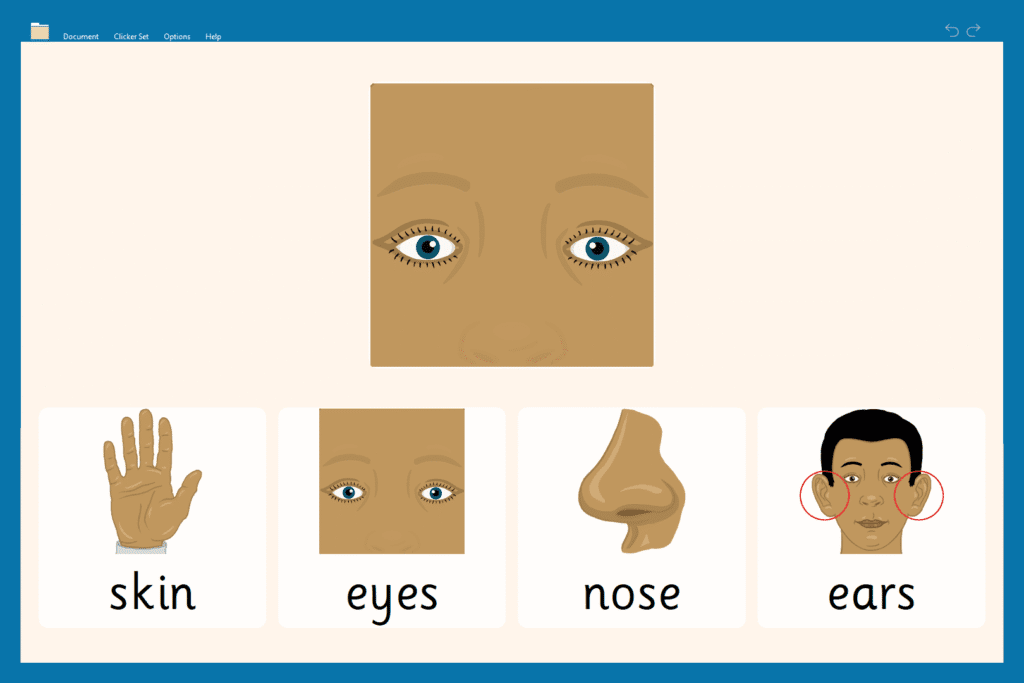

Topics include common environments like School, Home, Neighborhood, Supermarket, and more. Perfect for students who are new to English and need exposure to social language and everyday vocabulary.
Inclusive learning beyond language
Clicker helps meet the social-emotional needs of ELL students. This is especially important for those who have faced trauma or displacement. Resources in the About Me and Feelings & Actions categories provide safe ways for students to express their emotions. They can use emoji charts, Connect Sets, and guided Clicker Books such as When I Feel Worried.
As students gain confidence in English, you’ll find even more resources focused on vocabulary growth, sentence structure (including Colorful Semantics activities), grammar, and mindset-building with resources like Positive Self-Talk and A Mindful Walk.
Clicker is built to support the exact stages Krashen describes. It gives students accessible ways to express themselves.
Are you ready to explore more?
Watch the webinar and download your free ELL support checklist now.
We hosted a webinar featuring an ELL specialist. We explored how Clicker supports ELLs during pre-production and early production stages. The session included practical strategies, product demos, and a Q&A for educators.
Watch the webinar and explore how to:
- Use Clicker’s LearningGrids, Talk Sets, and analytics to monitor language learning and comprehension
- Support nonverbal expression and gradual language emergence
- Customize resources to reflect student identity and language needs
You can also download our quick-reference checklist to deepen your support for multilingual learners.
Silence isn't a setback. It’s a sign of growth. With the right strategies and tools, we can meet English learners where they are and help them take confident steps forward, one word at a time.

Black History Month is a time to recognize and celebrate the heritage, accomplishments and culture of African Americans throughout history. Clicker can help you teach your pupils about some of the icons in Black History, as well as their roles in the Civil Rights Movement and their bravery in the fight for equality.
Rosa Parks - Black History Month resources
Many know Rosa Parks for refusing to surrender her bus seat and setting the Montgomery Bus Boycott in motion. This Boycott was a civil rights protest during which African Americans stopped using the city buses in Montgomery, Alabama. The Montgomery Bus Boycott began 5/12/1955 and ended 20/12/1956. This was the first large-scale demonstration against segregation and a defining moment in the Civil Rights Movement. Check out the many sets we have about Rosa Parks and the Montgomery Bus Boycott, including a Custom Clicker Set on Rosa Parks which provides a starting point for your pupils with a synopsis of Parks’ story and interesting facts.

As stated, many know Rosa for being the catalyst for the Montgomery Bus Boycott, but she has many more accomplishments to her name. For example, did you know she was awarded the Presidential Medal of Freedom in 1996?

Martin Luther King, Jr. - Black History Month resources
Martin Luther King, Jr. was a social activist and Baptist minister who played a key role in the Civil Rights Movement from the mid-1950s until his assassination in 1968. He was the backbone to the Montgomery Bus Boycott and the iconic March on Washington in 1963, which brought about landmark legislation such as The Civil Rights Act and the Voting Rights Act. He is most famous for his exemplary role in the Civil Rights Movement, as well as his “I Have a Dream” speech. We have an amazing Word Bank highlighting Martin Luther King, Jr.’s childhood, adulthood and legacy.

Harriet Tubman - Black History Month resources
Harriet Tubman escaped slavery in 1849 only to become one of the most notable abolitionists and “conductors” of the Underground Railroad. Through her work, she was able to lead hundreds of enslaved people to freedom and safety. During the Civil War, she worked for the Union army first as a cook and nurse, and then as an armed scout and spy. After the war, Harriet Tubman dedicated her life to helping those formerly enslaved and to women’s suffrage. We have an amazing A-Z Word Bank, available within Clicker, on Harriet’s legacy!

These are just a few examples of pre-made Black History Month resources ready for download in LearningGrids. You can use these resources as is or edit them to meet your pupils’ needs.
Helpful information and resources
- We also have LearningGrids resources covering Juneteenth, Kamala Harris and Matthew Henson.
- Debates and discussions with Clicker support
- If you would like support using Clicker for other history topics, book a free customer care meeting.
"Clicker Books give students the ability to read in a supported way, but it also gives them the ability to write in a supported way." — Rose Racicot, Assistive Technology Specialist & Occupational Therapist
In this final webinar of the series, Rose Racicot and I shared how Clicker Books bring the flexibility and accessibility that classrooms need to help students become confident readers and writers. Reading and writing develop at different stages, and Clicker Books support those processes with accessibility and personalization.
What's covered in this session?
- LearningGrids: Getting started with Clicker Books
- Real classroom examples: How educators are using Clicker Books
- Clicker Book accessibility for all learners
LearningGrids: Getting started with Clicker Books
What's the best way to introduce Clicker Books into your classroom? LearningGrids.

LearningGrids is a resource bank with over 3,300 premade resources for download, and over 650 of those are Clicker Books. The resources are flexible and customizable for teachers. LearningGrids provides a foundation from which teachers can still differentiate the content to meet the specific needs of their students and their curriculum.

Clicker Books are available in three main formats:
- Read a Book
Premade books with embedded speech support are ideal for students who benefit from listening while reading along. - Read it Yourself
Books that encourage independent reading while still providing customizable options for speech support, such as tapping or clicking on words students find challenging. - Make a Book
A completely customizable option where students can create their own books by combining text and images to show what they've learned.
Rose and I shared how LearningGrids simplifies the planning and resource creation for teachers. Its ready-to-use content is easily adaptable. For example, if teachers are using a traditional story like “The Gingerbread Man,” and they want to use the simplified Read It Yourself version but still make full use of Clicker’s speech support, the Clicker Book can be easily adapted for that. Let’s say that you have emerging readers, multilingual learners, or students with reading difficulties, a speech button can be added to each page so that everyone can follow along as the text is read aloud. The combination of premade content, customizable options, and multiple formats means Clicker Books can be personalized to fit the needs of any classroom for whole group, small group, or one-on-one settings.
Real classroom examples: How educators are using Clicker Books

Rose shared several examples of real classrooms using Clicker. Rose recently volunteered in her son's middle school classroom in Bellevue, Washington. The classroom had students with varying needs, including a student in a wheelchair and several students with autism. The lesson centered around the book From Seed to Pumpkin. They read it aloud using an interactive whiteboard. After reading the story, students sequenced the events by dragging and dropping images using another LearningGrids resource.
What made this lesson stand out was the range of abilities supported by Clicker Books. Some students independently accessed the book; others relied on switches and assistive devices, but all could easily participate. That’s the beauty of Clicker Books. It gives every student the chance to be involved and learn alongside their peers, regardless of their skill level or physical abilities.
Another example involved a high school student using Clicker Books to present to a preschool class. The student, who used switches for accessibility, read a story aloud to the preschoolers using Clicker's two-switch scanning feature. It was clear how much independence, ownership, and autonomy this student felt. It gave the student powerful interactions with others in a way that wouldn’t have been possible without Clicker's accessible tools.
Clicker Books help teachers provide differentiated instruction and create an inclusive learning environment where every student has equitable opportunities.
Clicker Book accessibility: Supporting every learner
Every student deserves the best, not less. One of the most significant advantages of Clicker Books is the rich accessibility features – because every learner really means every learner. Clicker Books support high expectations for all students by pairing highly effective teaching practices with the individualized guidance and support special education students’ needs.
Rose and I showed how Clicker Books integrate seamlessly with eye-gaze technology, switches, and customizable display options. It also has a wide range of visual accessibility options, so teachers can adjust background colors, font sizes, and text contrast to support students with visual impairments. For example, one school in Brooklyn uses Clicker Books with high-contrast settings and enlarged text for students with complex visual needs. Reading is more accessible and enables students’ full engagement with the material.
Elementary classrooms need a rich library of reading materials, and Clicker provides abundant resources along with necessary scaffolds, access, and differentiation. All students benefit from Clicker Books, whether on a computer, iPad, or Chromebook, thanks to the platform's accessibility tools.
Do you want measurable reading growth? Make your books accessible.
Every student is competent and capable. They just need the right support to show what they know.
Clicker Books can support literacy development for all learners. You want to provide teachers with rich resources, help them differentiate instruction without burning out, and give every student access to reading and writing growth. In that case, Clicker Books have the flexibility and accessibility needed for engaging and inclusive learning.
You can easily integrate Clicker Books into your classroom to promote reading and writing growth.
Students with hearing impairments often face unique challenges in developing language and literacy skills, especially if they are pre-lingually deaf (born deaf or lost their hearing at a young age). These learners may struggle to make connections between written words, spoken language, and sounds. Using the right tools can help bridge these gaps, and Clicker is a powerful resource for supporting students with hearing impairments in their learning journey.
Addressing language and vocabulary delays
For students with hearing impairments, learning how words look and sound can be difficult, leading to language and vocabulary delays. Clicker helps by offering visual supports, such as picture-based word banks and sentence-building grids. These visual aids assist students in linking words with meanings, making it easier to acquire new vocabulary and grasp important concepts.

Supporting grammar
Sign language and written English have very different structures, which can make learning grammar particularly challenging for students with hearing impairments. Clicker’s sentence-building tools help guide students through constructing grammatically correct sentences. Teachers can create Clicker Sets that focus on key grammar rules, like adding an "s" to form plurals, providing students with structured, interactive learning experiences.
By using these personalized Clicker activities, teachers can help students understand the rules of grammar in a way that’s engaging and accessible. This helps learners with hearing impairments improve their writing skills while reinforcing their understanding of English sentence structure.

Personalize resources
One of Clicker’s most valuable features is its flexibility to create personalized learning materials. Teachers can easily design resources that include familiar images from the student’s daily environment, making learning more relatable and engaging. This approach can deepen students' understanding by connecting written words with their real-world experiences.
In addition, teachers can insert custom images into Clicker’s writing tasks, helping students with hearing impairments visualize and better understand the meanings of words and sentences. By personalizing these resources, learning becomes more engaging and meaningful for students.
Want to know more?
Help nudge emerging writers the right way with Clicker
“…Every student I've ever tried Clicker with, but especially students who shut down with writing and are frustrated by writing, I can always engage them. This is a very engaging tool.” - Rose Racicot, Assistive Technology Specialist and Occupational Therapist
How can we guide students to build well-formed and well-connected sentences?
On October 16, 2024, Rose Racicot and I led Clicker's second webinar of our fall series. The session showed how Clicker's supportive word processor can assist teachers in strengthening students' written expression.
We explored:
- Strategies to support a full range of diverse learners and thinkers so they can fully participate in their general education classrooms.
- Practical tools within Clicker to help students organize their thoughts into structured sentences.
- Real-world examples of how educators are using Clicker to scaffold the writing process and foster sentence-building skills.
1. Supporting neurodiverse learners in general education classrooms

Clicker helps scaffold sentence-building for students at all learning levels. Its visual and auditory support helps multilingual learners and students with dyslexia, attention deficit disorders (ADD/ADHD), and autism. Sentence building requires both visual and auditory processing, so Clicker layers in students' needed scaffolds to build sentences at their own pace, all within an inclusive classroom setting.
Clicker provides speech feedback throughout the entire word processor. Immediate auditory reinforcement is especially useful for students with ADD/ADHD because it helps them stay focused and engaged throughout writing tasks. For multilingual learners, hearing text read aloud reinforces language learning which makes sentence-building both a literacy and language development tool.
Clicker also offers errorless writing so students — particularly those with dyslexia or autism—can construct sentences confidently without the fear of mistakes. Teachers can customize activities like Sentence Sets and Connect Sets in a way that makes the most sense for students. Everyone progresses at their own pace while working on the same classroom content.
2. Clicker’s helpful tools for organizing writing
Sentence Set

Sentence Sets are designed for emerging writers who need support constructing sentences. These sets guide students step-by-step through sentence building by providing word banks, visual cues, and auditory feedback.
How it helps
Students select words and phrases from a grid to complete sentences. It offers a low-pressure, errorless writing experience for students who struggle with writing. Teachers can customize the sets to match individual students' levels, from simple word selection to more complex sentence construction.
Connect Set

Connect Sets offer a more advanced level of scaffolding. It helps students form more complex sentences by connecting parts of sentences like subjects, verbs, and objects. This tool builds on the foundation set by Sentence Sets but offers more choices and greater flexibility.
How it helps
The Connect Set presents parts of a sentence (e.g., subject, verb, object) in clusters. Students choose how to connect these parts to create a sentence. It provides color-coding for parts of speech and picture support to help reinforce understanding.
Talk Set

Talk Sets help students verbalize their ideas before translating them into writing. Students record voice notes, which can later be used to help structure their written sentences.
How it helps
This tool is valuable for students with strong verbal skills but struggle to write down their thoughts. By allowing them to express their ideas verbally first, Talk Sets reduce the cognitive load of writing and help students focus on sentence-building when they are ready.
Matching Set

Matching Sets are used for vocabulary development and concept reinforcement by allowing students to match pictures, words, or sounds to reinforce learning. This tool provides errorless practice in an engaging, interactive format.
How it helps
Matching Sets are a hands-on way for students to practice recognizing and connecting concepts. It reinforces vocabulary or sentence-building skills in a low-pressure, fun environment. The errorless design means that students can keep trying until they find the correct match which builds confidence without frustration.
3. Use cases and real-life examples
During the webinar, Rose and I shared powerful stories from educators who have seen firsthand how Clicker has supported their students. Rose reported how one teacher described a student with spastic quadriplegic cerebral palsy who used switch access to build sentences. Clicker's accessibility helped the student to express thoughts and emotions confidently, despite their physical limitations.
Rose also shared how reluctant writers, who once shut down at the thought of writing, began to feel more confident with Clicker's errorless writing tools. Students were able to construct sentences without fear or friction, which kept them engaged and open to learning more. Clicker's scaffolding makes sentence building approachable and encouraging for every learner and every ability.
Make writing less abstract and more low-stakes for measurable student growth
There's so much invisible thinking that goes into the writing process. Clicker turns that invisible thinking into something concrete to give students the structure they need to get started.
It reduces writing frustration in those early stages with customizable Sentence Sets, speech feedback, and visual scaffolds–whatever students need to start, push on, and finish. The less friction we create in those beginning stages of learning to write, the more we empower confident, excited writers who are eager to express their ideas.
Clicker gives students the tools they need to make progress with their writing, one sentence at a time.
Undiagnosed special needs? Clicker helps keep students in class with the support they deserve
"I just want you to imagine if every [elementary] gen ed classroom were to use Clicker as their basic document for all gen ed students, not just for students in special ed or a student who struggles with writing, because it has something for everybody." - Rose Racicot, Assistive Technology Specialist & Occupational Therapist
How can you help emerging readers and writers stay in their classrooms while supporting literacy growth?
Rose Racicot, an AT Specialist and OT, was the go-to for teachers and admins when students were struggling and frustrated.
Rose believed these struggles happened because students couldn't express themselves. She searched for an assistive tech tool that supported literacy for K-5 students. She found Clicker and its built-in accessibility features helped. Students who struggled to focus on literacy for 2 minutes were now engaged for 30. Clicker improved students' motivation and confidence. It also helped teachers create an inclusive classroom. The support it provided allowed special education students to stay in their gen ed classrooms for longer.
Fast forward to October 4, 2024, Rose and I, Crick Software’s Senior Education Consultant, shared how Clicker promotes total curriculum accessibility while supporting an inclusive push-in framework.
What's covered?
- Curriculum accessibility through Universal Design for Learning (UDL)
- Differentiated instruction and support for diverse learners
- Data and analytics for informed teaching
How do you support your beginning readers and writers?
1. Curriculum accessibility through Universal Design for Learning (UDL)

Clicker empowers teachers to support their students. Think of it as a supportive word processor. Teachers don't need to supplement it, and students don't need to switch tools for support.
Clicker supports multiple means of representation, engagement, and expression. Its built-in features help students with atypical entry points to learn, stay engaged, and show what they know. It includes features like text-to-speech, word prediction, and picture cues, which help students who might struggle with reading or writing.
Students can also use tools like guided word order and talk sets to stay engaged and build confidence as they work at their own pace. Whether they're just starting to write or more advanced, Clicker gives them the support they need to express their ideas in ways that work best for them.
If curriculum is the "what" of education — what students should learn — then accessibility is the "how." It's about how all students can engage with that curriculum regardless of their needs.
Clicker tools help make the curriculum usable to all students and promote classroom participation.
2. Differentiated instruction and support for diverse learners
Nothing replaces best practices in reading and writing instruction. But what happens when some students need more time while others are ready to move on? Teachers know no curriculum is perfect, so they constantly supplement it to meet their students' diverse needs. But with Clicker, the need for constant supplementation decreases considerably.
Clicker helps teachers support their students, even in large classes. Students get exactly what they need and stay right where they are — fully engaged in their gen ed classrooms. Many teachers have shared that Clicker’s well-rounded support keeps students in the classroom, allowing them to learn alongside their peers without being frequently removed for specialized instruction.
Differentiation for reading and writing with Clicker
| Reading support | Writing support |
| Speech-supported text Clicker Books has built-in text-to-speech. It helps emerging readers and students with reading difficulties. They can read along and listen to the text. | Guided sentence construction Clicker's Sentence Sets help students build sentences step-by-step. The support is scaffolded and can be reduced as students gain confidence. |
| Flexible use Clicker Books anchor lessons. Teachers can use them in whole-class read aloud or individual reading sessions. | Word prediction & picture cues Clicker has word prediction and picture cues. This helps students write independently and learn vocabulary through visuals. |
| Accessibility Clicker Books are switch-accessible for students with physical disabilities, and teachers can customize the content to meet specific student needs. | Phonetic word prediction Students who struggle with spelling can use Clicker's phonetic word prediction. It suggests words based on phonetic attempts and reads them aloud. Students won't feel frustrated or prevented from expressing their thoughts in writing. |
| Visual aids Emerging readers and English learners need visuals to aid in comprehension. Clicker includes picture cues with the words to add context and meaning. | Verbalization before writing Students can use Voice Notes to express their thoughts before writing in a Clicker Document or Clicker Board. This low-pressure method helps students who struggle with writing. Any vocabulary collected in a Clicker Board can also be exported into a picture supported Word Bank. |
And that's only some of what Clicker offers. Clicker has even more flexible tools to support differentiated instruction. That way, teachers can easily control what supports to use. It makes personalizing help for each student easier without adding to their workload.
3. Data and analytics for informed teaching
How can you know if the tools you're using are working?
Clicker keeps track and collects data for administrators and teachers. Then, it provides actionable insights into how students engage with its features. Educators can easily see, for example, if students rely on word prediction or phonetic spellings. It also tracks how scaffolds, like guided sentence construction, are used. It shows when students are ready to move on without extra support. It even highlights trends, like students who benefit from:
- speech feedback during writing activities
- picture cues for vocabulary
- extra time spent on tasks
Clicker tracks all this data and more. As a result, it helps with parent communication, lesson planning, and IEP writing.
This data isn't meant for tracking; it's for acting. The real-time insights empower teachers to adjust their instruction immediately. Literacy learning means meeting students at their level. It means giving them the right support at the right time. That's how progress is made.
What’s stopping student growth - your curriculum or accessibility?
If you change your K-5 literacy and writing curriculum every few years to support student growth, it's not a problem with your curriculum. It's an accessibility issue. Successful literacy programs allow all students to express themselves. This means every student, especially those with low literacy, takes part.
You don't need to wait for your next curriculum overhaul. Clicker can help your students succeed today, without teachers having to over-supplement it.
Additional resources
Want to know more about Rose's personal experiences using Clicker with struggling students? Read her case study now.
I am just getting back from the 2024 South Special Education Congress in Texas. This conference was a unique experience where we could meet with district leaders regarding their most pertinent initiatives moving into the 24-25 school year.
We saw several consistent themes across our meetings.
Special Education Directors across the country are concerned with the following:
- Supporting teachers with quality pre-made curriculum resources for diverse learners and programs
- Implementing inclusive literacy solutions
- Making data-informed decisions about products and instruction
Fortunately, Clicker offers a solution.
1. Pre-made curriculum resources for diverse learners and programs
One of the biggest challenges district leaders are facing this school year is supporting teachers with a wide range of learning needs in a single class or program. We were told time and time again, “Teachers are overwhelmed by the different writing / achievement levels in their classes.”
With every Clicker subscription, districts have access to thousands of high-quality, ready-made Clicker resources created by our curriculum team, comprised of several former educators.
These resources are designed for teachers to use immediately. They have built-in reading and writing support and can also be customized based on specific needs.
2. Implementing inclusive literacy solutions
District leaders explained that staff are struggling to learn and implement several different solutions to meet the needs and literacy learning objectives for all students in their classes and programs.
Clicker is the complete writing solution, providing every student with just the right level of support and challenge based on their individual learning needs. Clicker was designed with Universal Design for Learning (UDL) in mind, meaning that Clicker aims to address the needs of all learners.
We talked a lot about what I would call “the Clicker basics”: speech support, prediction, spell check and voice notes, and the ability to customize built-in (accessibility) settings.
For learners with visual needs, we can tailor the contrast and font:

For learners that would benefit from visual cues when writing, we can provide picture-support in our Word Prediction, Spell Checker and the Clicker Sets:


By embedding these options into a solution implemented for all students, every learner gets what they need to be successful, and no one feels left out by using a different solution from their peers.
3. Data-informed decisions about products and instruction
District leaders are spending valuable dollars to support teachers and students. They need to ensure that those dollars are well spent and monitor the impact of selected solutions.
Clicker Analytics is an amazing tool that works in the background to track and analyze how students generate their writing.
Data gathered via Clicker Analytics can be monitored across classes and programs to ensure Clicker is doing what it needs to at a district level: improving literacy rates and student outcomes.
Clicker Analytics also provides evidence that could be used for progress monitoring towards individual student goals throughout the year.
Analytics offers data on which Clicker tools are being used to produce writing, providing evidence that could be used for progress monitoring.

What next?
If you are looking to address some of these same needs in your district, schedule a call with us here:
Or to find out more about how Clicker is supporting diverse learners in districts across the country:
- Read how educators edit LearningGrids resources to support diverse needs
- Explore how Clicker creates an equal learning experience
- Hear from Mark Surabian about Clicker and UDL
When I meet with new schools who are interested in Clicker, I always love to showcase LearningGrids!
LearningGrids contains thousands of high-quality resources - built by our fantastic Curriculum Team - that are regularly added to and updated. LearningGrids includes a variety of Clicker Sets to ensure that topics can be accessed in numerous ways.
Clicker users love bringing LearningGrids resources into their topic lessons, but a common question I get from subscribers is, ‘How can I make sure I’m getting the most from LearningGrids?’ So, I thought it would be great to share an approach that helps Clicker users avoid LearningGrids resources becoming an after-thought in their very busy schedule.
The way I suggest doing this, is to start at the very beginning – with planning!
Below is a topic plan where I have laid out a teaching sequence and explained which Clicker Sets I would use to facilitate each activity. I’ve provided example resources following the Science topic Phases of the Moon, but this work/lesson flow can be used for most of the topics available in LearningGrids.
| Objective | Activity type | Recommended resource |
| Activities to help students understand topic content and vocabulary | ||
| Assess current understanding Class brainstorm at the beginning of the topic. Collect any prior knowledge and identify misconceptions. | Clicker Board – perfect for collating knowledge and identifying the class’s starting point. This can include words, images and voice notes. | 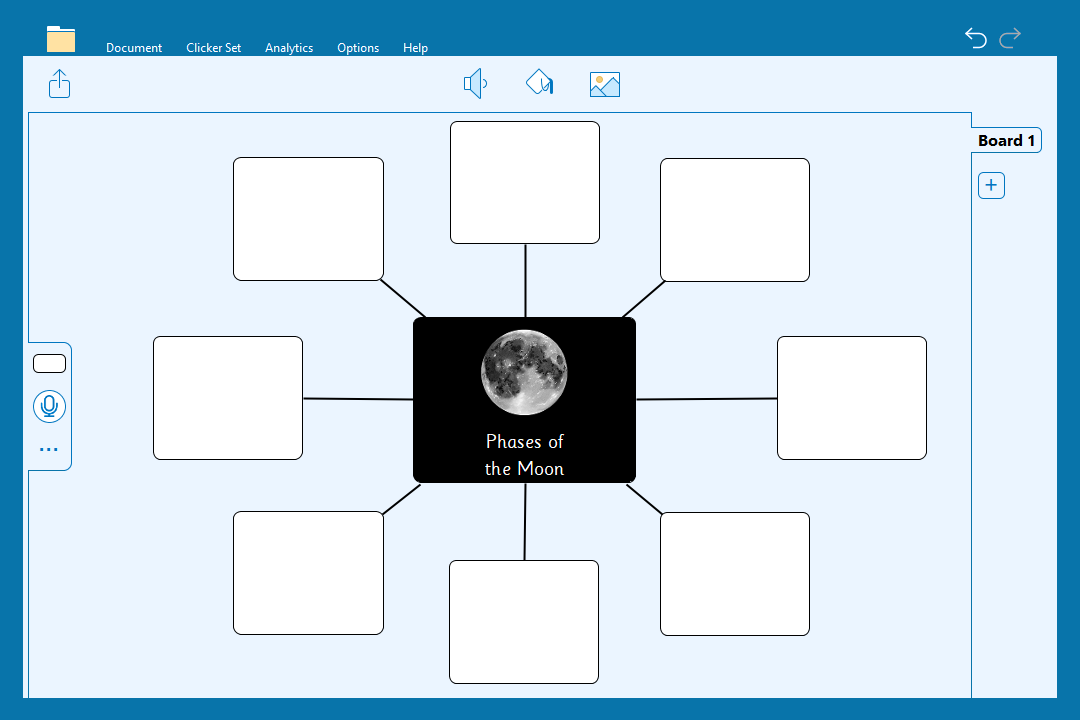 Phases of the Moon - Clicker Board |
| Introducing the topic and key vocabulary Reading a book as a class to ensure everyone has the same exposure to the content and specific vocabulary – with a chance to discuss. | Clicker Book – Read a Book – can be read together as a class and identify key vocabulary. You can also rest assured that the content is accurate so no need to check multiple sources! | 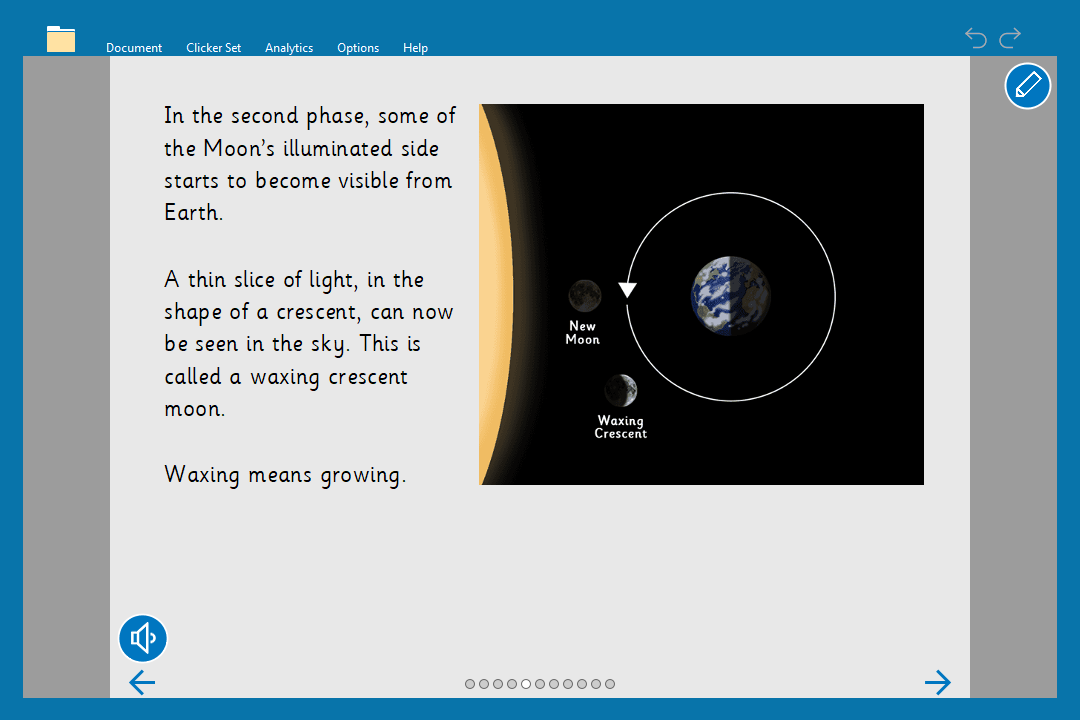 Phases of the Moon – Read a Book |
| Independent access to content students independently access the lesson content for consolidation. | Clicker Book – Read it Yourself – in these books the text is presented in smaller chunks to help learners digest the information. | 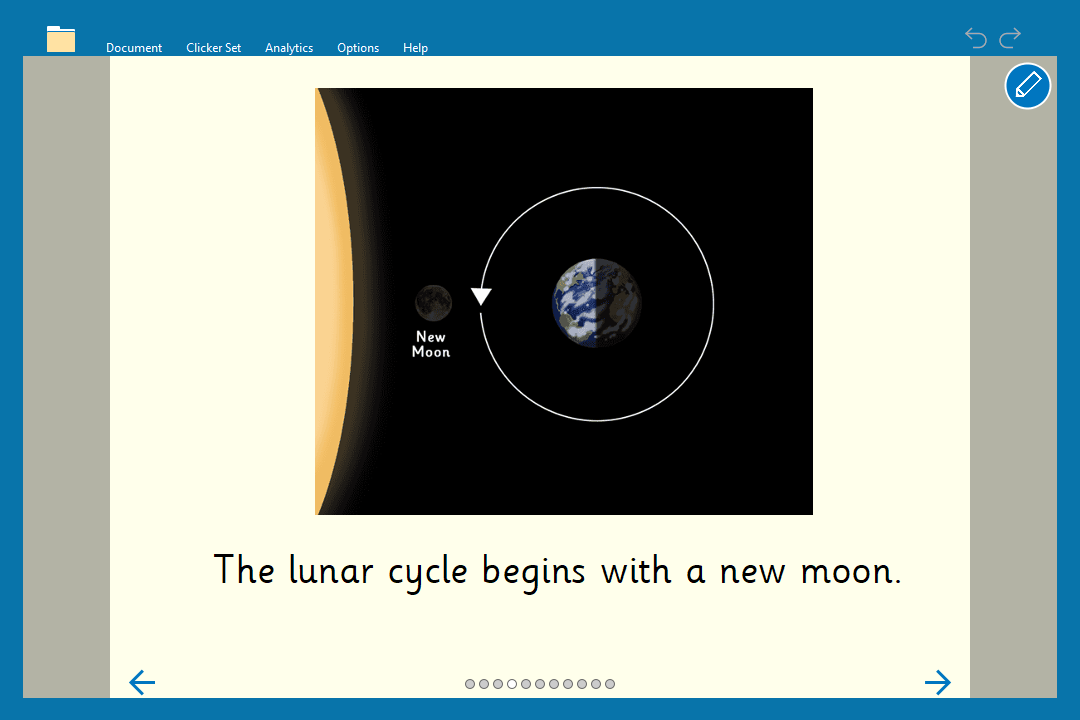 Phases of the Moon – Read it Yourself |
| Whole class mini plenary Opportunity to gauge whole class understanding and to correct any misconceptions. | Clicker Talk Set – a great resource for whole class reinforcement. students can discuss together a page at a time and then teachers can nominate a class representative to record their current understanding. This activity is also a great task to set for homework – as recording activities are easily accessible to students and do not rely on their writing ability to evidence understanding. | 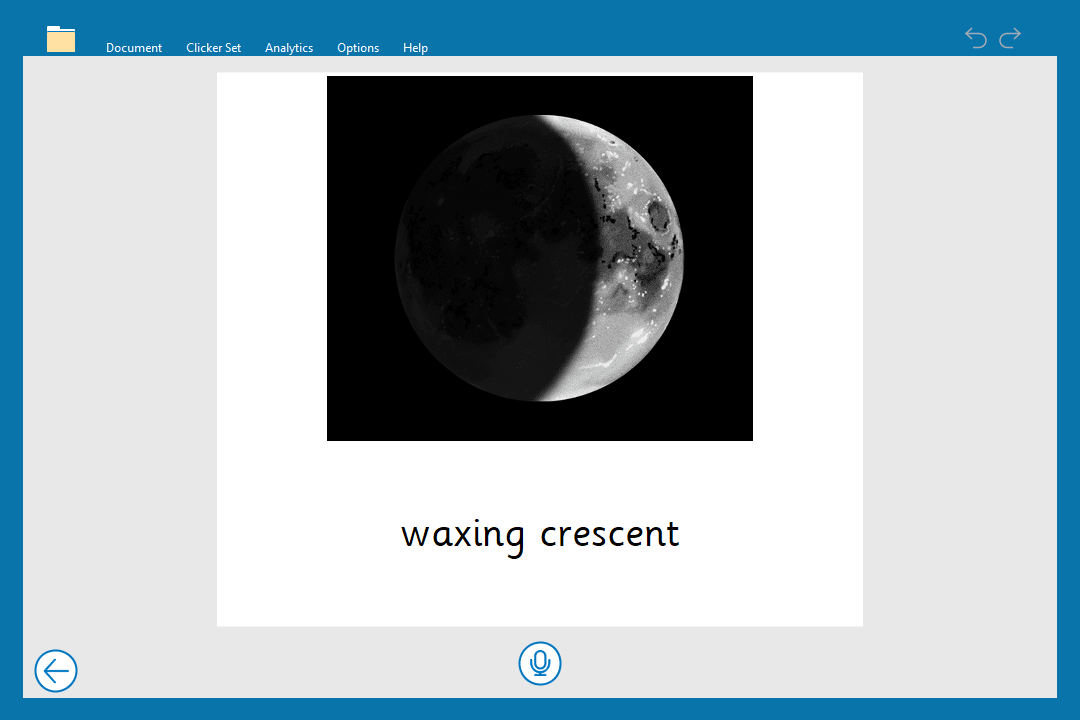 Phases of the Moon – Talk Set |
| Build connections and reinforce understanding An activity that allows students to practise and assess their current understanding of the topic content – for example matching vocabulary to the correct definitions, or sequencing events in the correct order. | Clicker Matching Set – these sets are easily editable for you to change the number of options to increase/decrease the task’s difficulty. Matching Sets are brilliant activities that don’t require discussion – perfect for a quick formative assessment. | 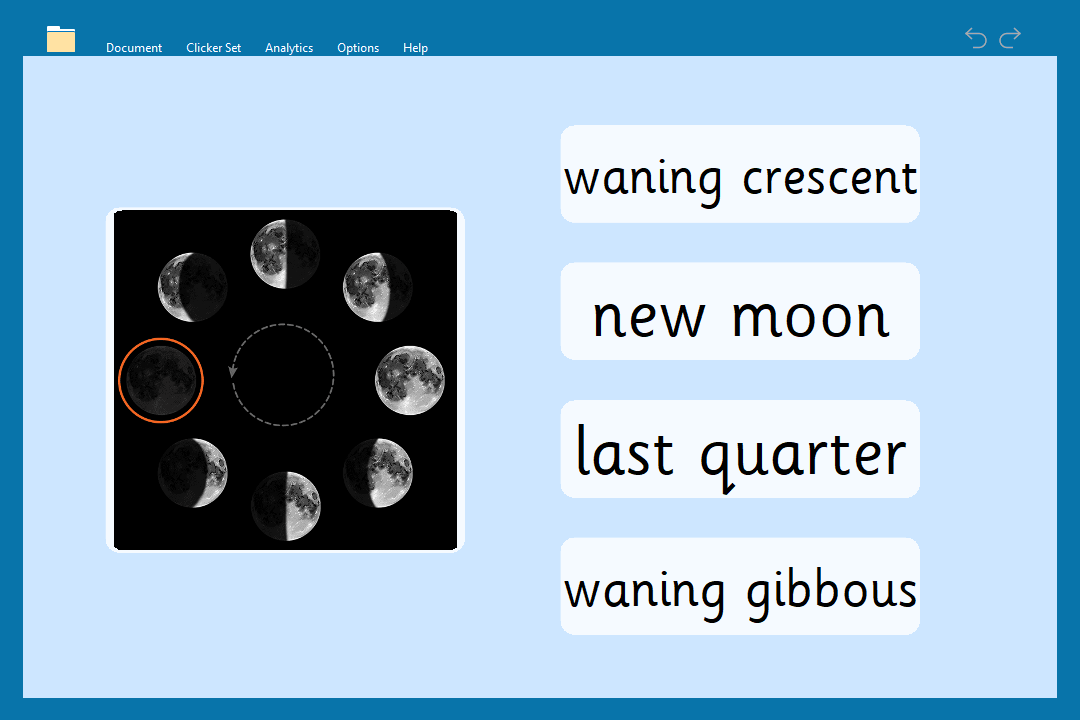 Phases of the Moon – Matching Set |
| Resources to help students write about the topic | ||
| Text construction Writing tasks are a great opportunity for learners to apply their new knowledge. However, writing ability can often impact how successfully a student can evidence their understanding. | Clicker Sentence Set – these are fantastic for students who can be overwhelmed by a blank piece of paper, or who require extra support in constructing sentences. You can adapt the level of support within the settings to ensure the perfect level of challenge and support for emergent writers. | 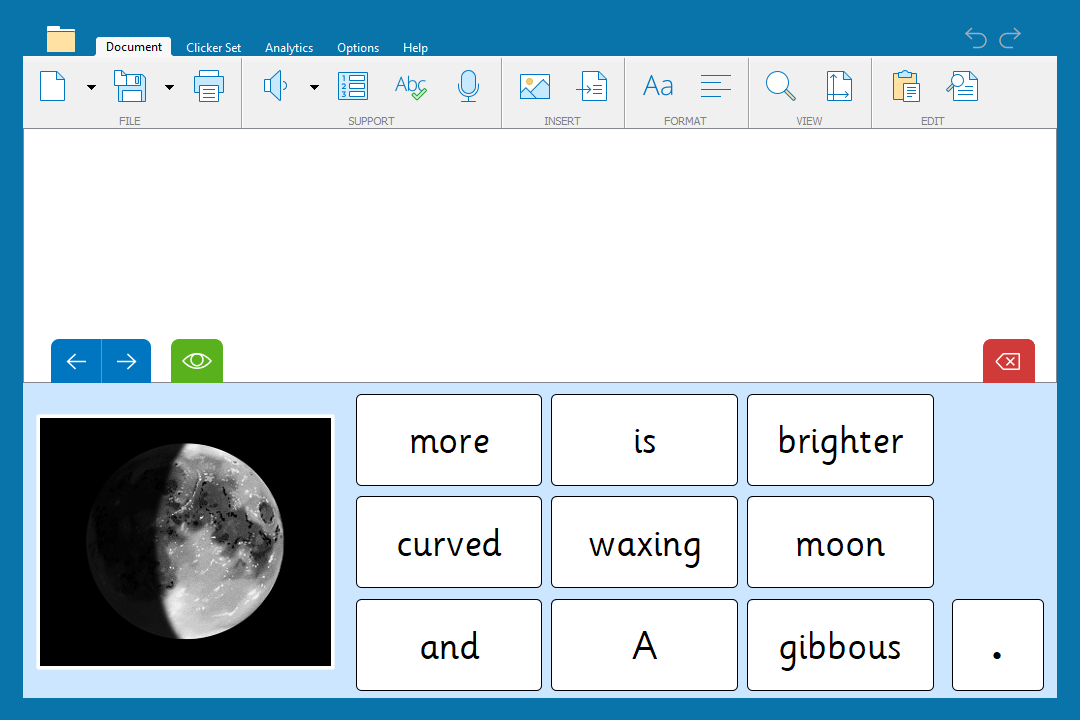 Phases of the Moon – Sentence Set |
| Clicker Connect Set – ideal for students who are developing writers and benefit from the added challenge of creating a piece of text from clusters of words and phrases - making it more open to the student’s own interpretation. | 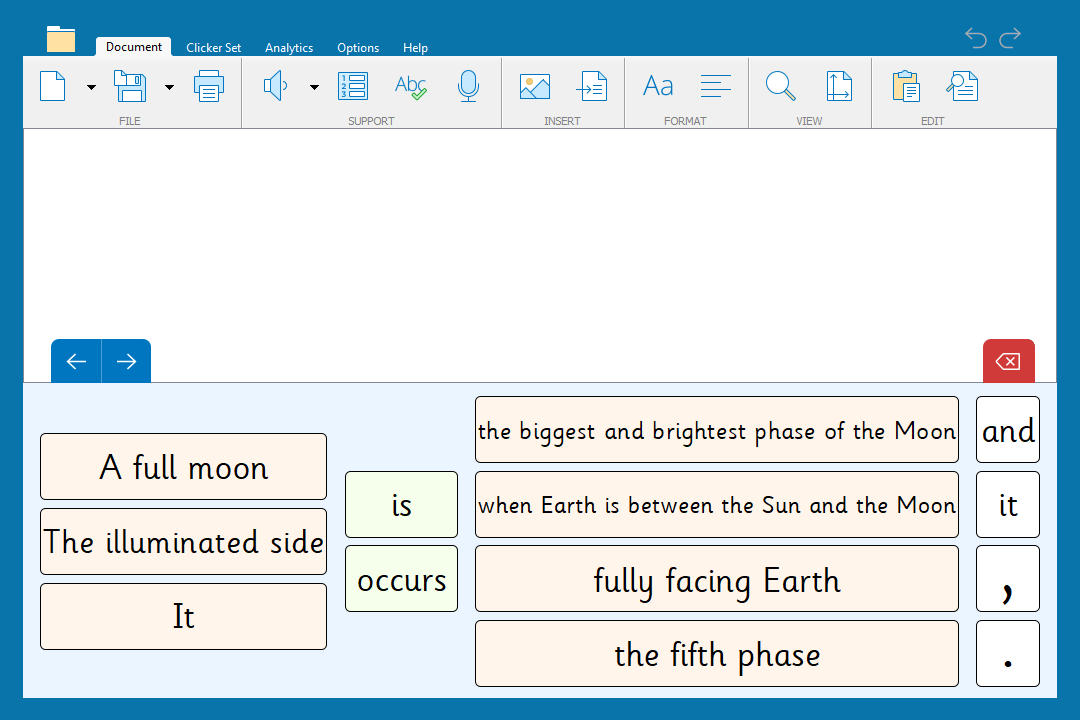 Phases of the Moon – Connect Set | |
| Clicker Word Bank – for students who confidently write independently and only require access to key vocabulary to construct their piece of writing. | 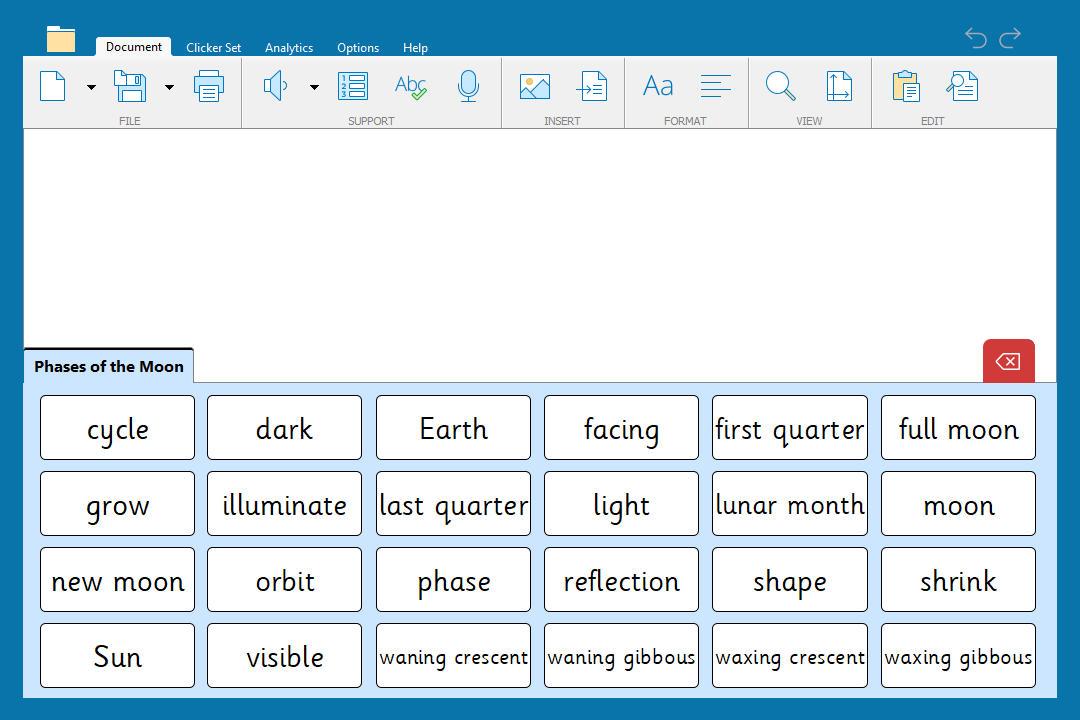 Phases of the Moon – Quick Words 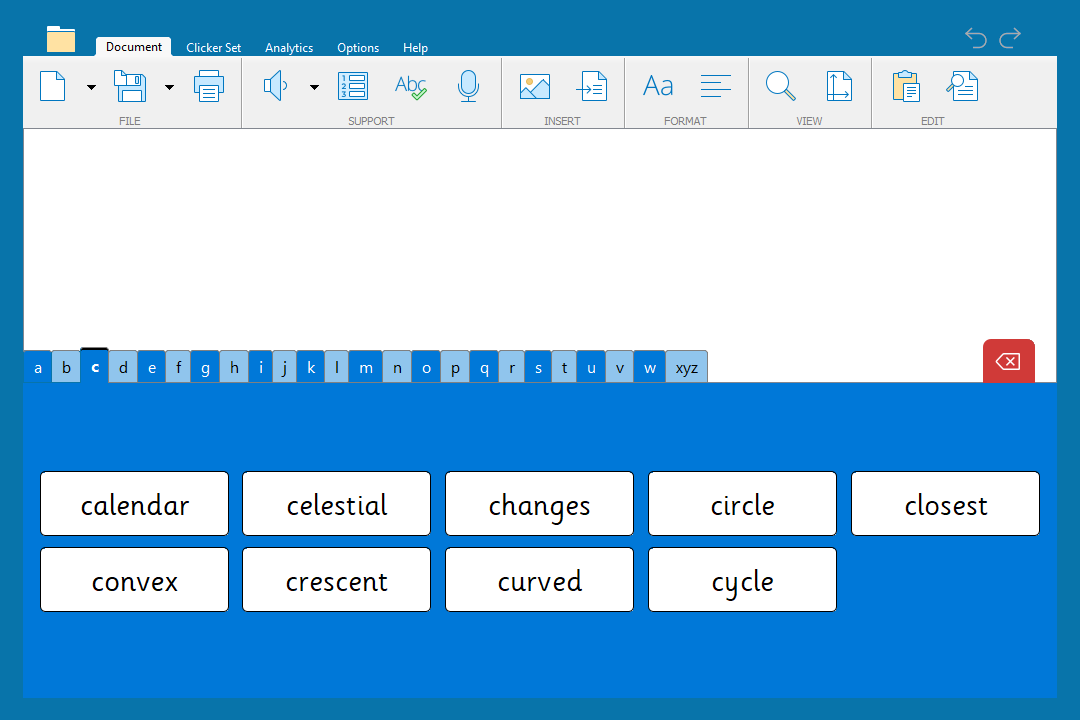 Phases of the Moon – A-Z | |
| End of topic project | ||
| Create an informative leaflet/book students can combine their learning from this sequence to produce their own informative non-fiction piece of writing. | Clicker Book – Make a Book – learners can create a written book or a talking book depending on their strengths. Using a ‘Make a Book’ template from LearningGrids saves you and your students time as they already contain accurate images for your students to include as they build their book. | 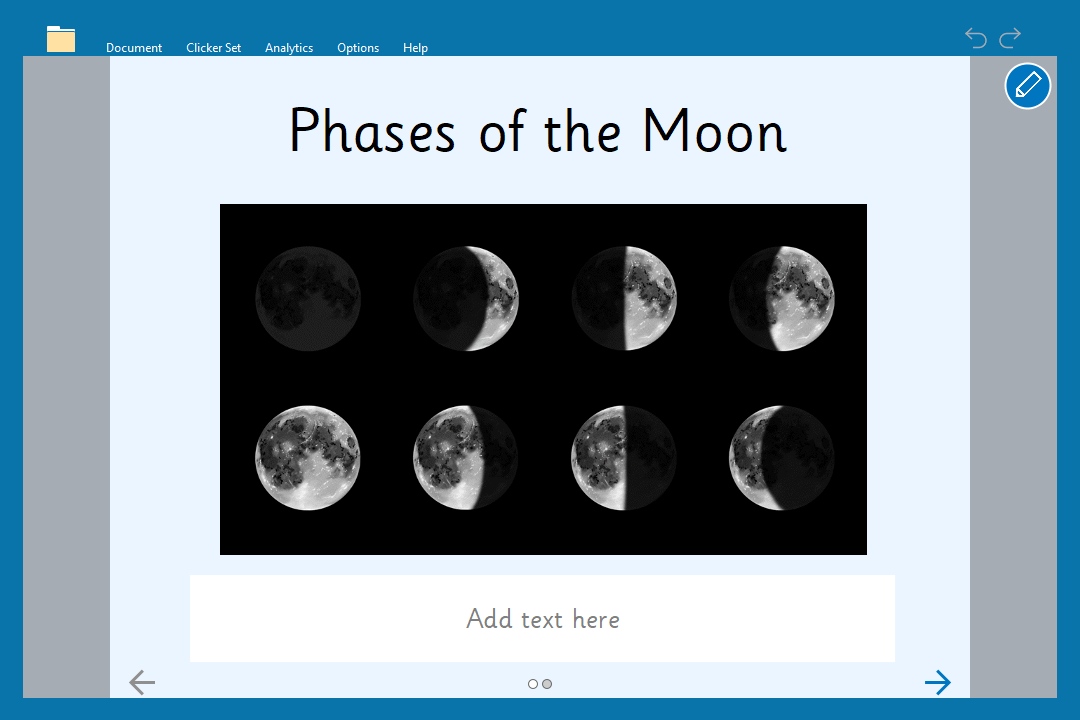 Phases of the Moon – Make a Book - Writing 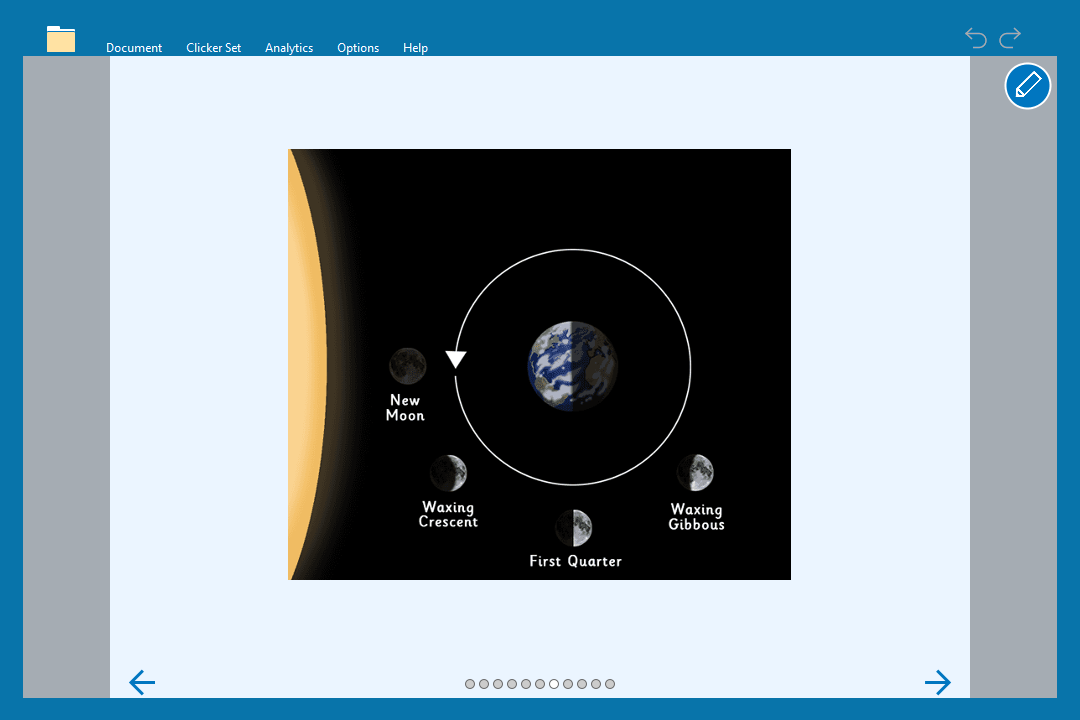 Phases of the Moon – Make a Book – Talking Phases of the Moon – Make a Book – Talking |
As LearningGrids resources are frequently mapped around the curriculum, it is always worth checking to see which topics are covered before you start your planning. As you can see, for this Phases of the Moon example, seven pre-made activities have been used to quickly provide high-quality, trustworthy content that save hours of preparation and planning time. Using LearningGrids also ensures that all learners can access the lesson content thanks to Clicker’s customizable accessibility features and settings.
Don’t forget, if your topic isn’t included, it is very easy to take an existing LearningGrids resource and adapt it to match your needs. If you require any extra support in doing this, our Education Consultants are happy to show you how! Just talk to us at info@cricksoft.com!
In a recent conversation with an assistive technology specialist in the USA, the topic of worksheets came up.
Their school district had been using Clicker 8 for some time, but there were still a few teachers who needed convincing about using technology over the familiar worksheet method.
My contact sent me an example of a worksheet that students were asked to complete about the three classes of rocks. The worksheet was created for students in a high needs classroom. As these students already had access to our software, I looked at how we could convert the worksheet into more engaging and accessible activities using the power of Clicker.
Much of the worksheet required deductive reasoning with multiple choice style questions.
Clicker Cloze activities are a great way to assess a student’s comprehension of a topic, reading skills and ability to use contextual clues to reconstruct a piece of text. They are also a great way to provide students with multiple-choice style questions. You can provide students with a word list of all choices at once, as seen here:
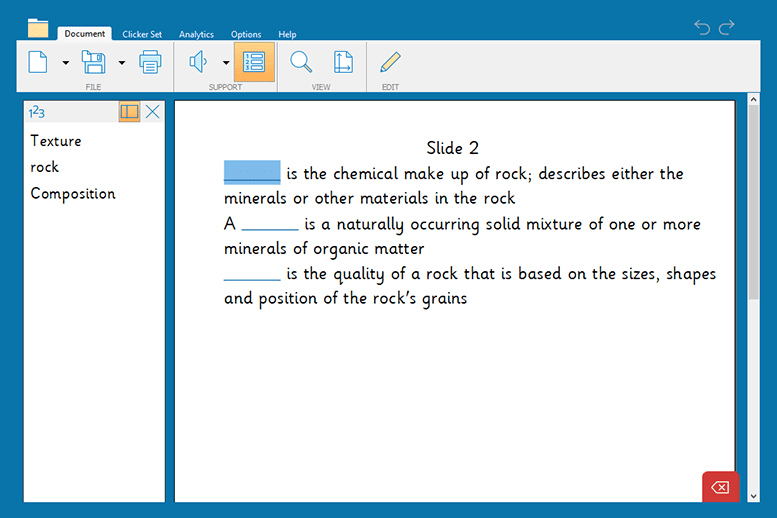
Or you can provide students with more specific targeted options, as seen here:

Clicker Cloze activities provide significantly more support than a traditional paper worksheet. Students can use the Speak Text icon in the support portion of the ribbon to read the document in full, as well as right-click on the words in the suggestions list to hear their options prior to selecting the answer. This fosters independence and confidence in students as they can complete work more easily on their own.

Using Clicker, teachers can also support students with visual impairments by adjusting the contrast of both the document and suggestions. Picture Support can also be added to the suggestions menu.
Students were also asked to label a diagram on the worksheet.
Clicker Boards provide access to the familiar Clicker supports that everyone knows and loves, combined with classic graphic organising features. Clicker Board offers different shapes and color options to create diagrams for sequencing or labelling activities.
Using this board, students can drag words from the word list to label the diagram within Clicker. They can utilise the familiar speech feedback to review their instructions and the new unit vocabulary used. The completed board can also be saved to refer to for a unit review.
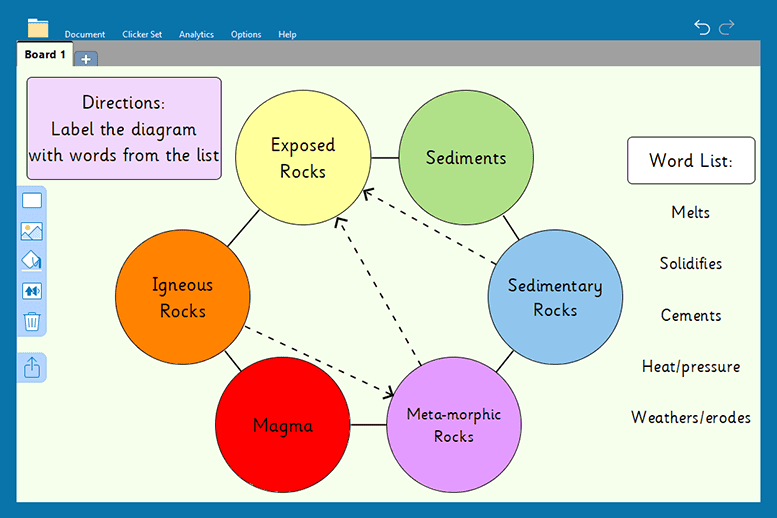
Finally, students were asked on the worksheet to match a description to a picture.
This is easily recreated using Clicker 8’s Matching Sets, which are a great way to reinforce subject knowledge. A range of activities can be created incorporating pictures, sounds and words or definitions. Creating this piece of the worksheet as a Matching Set allows students to work through an error-free activity while offering immediate feedback.
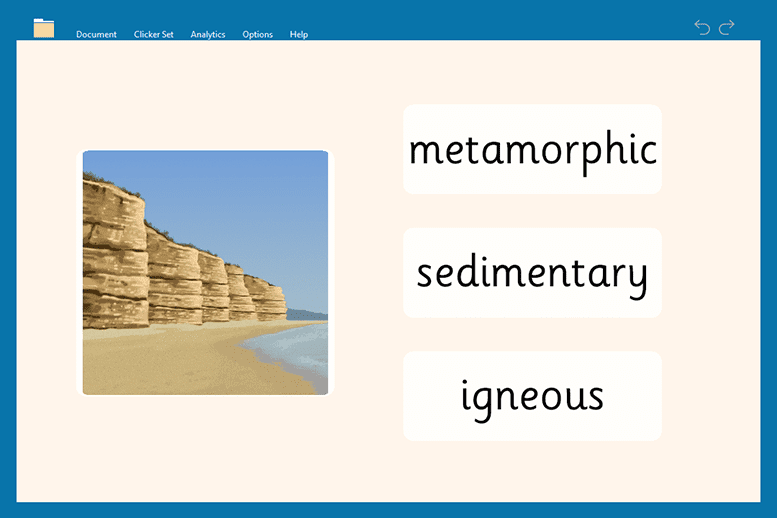
These are just a few examples of how to transition from static worksheets to a much more interactive and inclusive series of activities using Clicker.
Check out more on the virtual shift away from worksheets here.