A lot of the time, we can forget the most important part of the lesson: reflection.
This period is often found during the plenary aspect of a lesson once the main activity has been completed. However, due to time restraints, a plenary can sometimes be forgotten, and the children are expected to move to the next task of the day.
This was something I struggled with when I used to teach year 4. Having to stick to the compulsory 55 minutes per lesson, which needed to include engaging starter activities and enough time for everyone to understand and complete the objective, meant that plenaries were something that I couldn’t always plan for.
The great thing about Clicker is that we can utilise activity sets in several ways to create plenary opportunities. Lesson-appropriate activities only take a couple of minutes to plan and create but enable children to reflect on what they have learnt.
The first example of a great plenary builder is a Talk Set. Sometimes, we can over-rely on children physically writing their ideas on paper, rather than communicating with peers. Building a Talk Set allows children to share their ideas verbally, without you worrying about, “how will I show their progression if they haven’t put it on paper?” Because what’s great about Talk Sets, is that you can record ideas on the activity itself, so you don’t need to worry about losing them! Children can truly reflect and share ideas within their recordings, consolidating their understanding. This is a great way to round off a lesson.

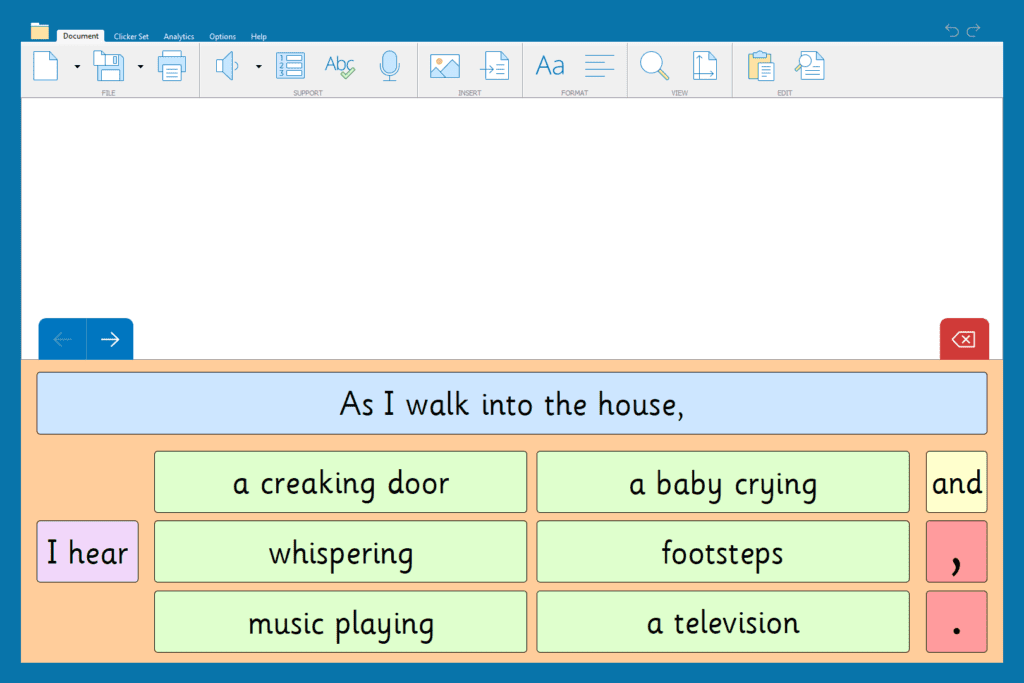
The second example is a Connect Set. Although these are very useful for the main activities to support writing, using one at the end of a lesson would allow you to see if the children have understood the concepts covered, like fronted adverbials and expanding sentences. They could work in groups using whiteboards or even use an interactive whiteboard to create some sentences of their own.
You could even get the children to share some of their own ideas from the work they have completed in the lesson.
Plenaries are an integral part of the lesson: they allow us to consolidate understandings and reflect upon what we have learnt. They don’t have to be time consuming or overthought either; a simple retrieval activity or voice note recording can be the difference between all children demonstrating their knowledge at the end of the lesson versus only those who flourish with pen and paper.
Free ‘How to adopt Rosenshine’s 10 Principles with Clicker’ PDF!
Using plenaries is one of many pedagogical choices teachers employ in their classroom. For other examples of how Clicker can support teaching practices, our ‘How to adopt Rosenshine’s 10 Principles with Clicker’ PDF is full of handy tips and tricks to keep your children learning and engaged using Clicker.
Plenaries are an integral part of the lesson: they allow us to consolidate understandings and reflect upon what we have learnt. They don’t have to be time consuming or overthought either; a simple retrieval activity or voice note recording can be the difference between all children demonstrating their knowledge at the end of the lesson versus only those who flourish with pen and paper.

Every September, teachers plan and create transition lessons for their new class. This is something I specifically discuss with schools when they are looking to implement Clicker in preparation for a new school year.
This transition period isn’t just to welcome students back from their time off - it is used to move them confidently into their new curriculum and set expectations for the year ahead. When I was teaching, I spent days organising even the simplest of activities, from creating documents and cutting them out, to sharing everything with the class.
However, this crucial time can be used much more effectively, with the help of Clicker and some simple transition ideas.
About me:
About me activities are a great way to get students to open up to their new teacher. It also allows us to see what barriers we might face in future lessons. Usually, these would be printed booklets. However, with a simple Clicker Custom Set label activity, this can be far more interactive and gives students the options to choose from, taking away any anxiety they may have.

Classroom rules:
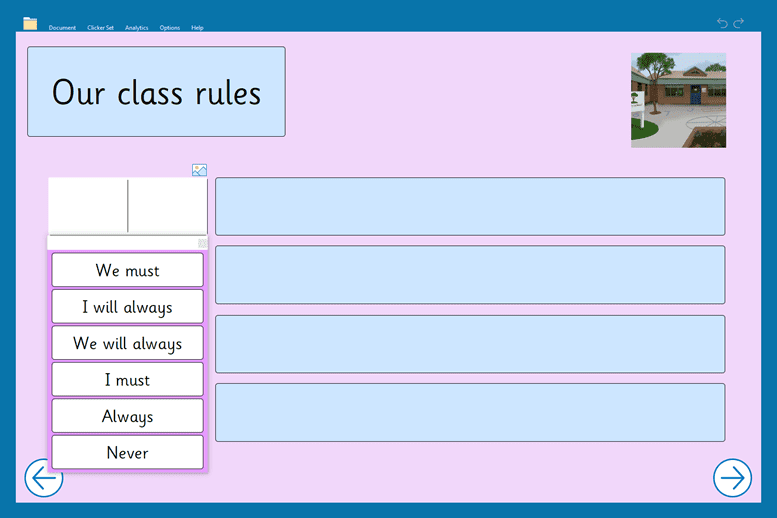
Every classroom needs rules. Rules set boundaries and help students to understand what each lesson’s expectations are. Without these guidelines, students may be unaware of what goals they need to achieve and more importantly how to achieve them in an effective way.
In my personal experience whilst teaching as well as visiting schools around the North of England, these types of activities are often made on a whiteboard or flip chart paper. They are often taken down after a few days of the class discussing them. However, with the use of a Clicker Custom Set, these rules can be kept electronically and printed off on A4 paper, being easier to display within the classroom.
These are just a couple of ways you could use Clicker to help children transitioning in September. If you would like to discuss how Clicker can support your new students, don’t hesitate to get in touch email at info@cricksoft.com or fill in this short form to book in a free web demo.
At a training session in Kent (before the lockdown!), a teacher showed me a really interesting way that they were utilizing Clicker to support new arrivals at their school.
They had created a Talk Set in Clicker, but with a difference!
The Talk Set was populated with photographs of the staff. Each teacher right-clicked on their picture and recorded a little message about themselves, including their name, their class, and some of their interests and hobbies (I have used some of the Crick team in the examples here so you might recognize some faces…).

They use this at the start of the year or when a new child arrives to make the experience less daunting, and a bit more fun!
Children can also personalize the Interview Me resource to record information about themselves as a way of introducing themselves to the class (thank you Karin for the idea!).

To see how you could do this yourself, take a look at our training video. Of course if you have questions about Clicker, or want to share some of your own fantastic ideas with us, please don’t hesitate to get in touch via our Facebook page, our Clicker Community group or by email at USinfo@cricksoft.com.