Northview High School, MO
Located in Florissant, Missouri, Northview High School of Special School District of St. Louis County educates around 180 students ages 14 to 21 years old with a wide range of disabilities and learning needs.
Christy Hagy and Diane Witte are staff at Northview H.S. They both use Clicker extensively in their school, and we were lucky enough to spend some time finding out how they are using Clicker to support a very broad range of individual abilities and needs.
Tell us briefly about your role in the school.

Christy: As the OT at Northview, along with my COTA Lynda, we work with around 80 of the students in the school, to ensure that the needs of their IEPs are fully met.

Diane: My main role is to adapt and differentiate curriculum resources for students throughout the school. Clicker 7 is one of the main tools I use for this.
Why did you choose Clicker to support your students?
Christy: Clicker was introduced to us through a training by the AT Specialists at our Central Office. We realized that the tool covers all aspects of literacy (reading, writing, speaking, and listening) at any level of ability, and it amazed me how easy it was to create and adapt resources for students to use. I presented the product to our administration as a tool that could serve the whole school, at which point we adopted a Site License for the school. Not only does it save a huge amount of time in creating cognitively appropriate activities, it is a hugely engaging tool for our students and they love using it.

How have students been using Clicker on a day-to-day basis?
Diane: I have so many examples I could use!
- We have been piloting a new mentoring program this school year, whereby our high school students work with 8th grade students from our neighboring special education middle school. Because the content of the program was written for use by students in general education, I needed to adapt the content for all of our students to be able to access it. I have used Clicker to do this, with a combination of Sentence Sets, Connect Sets, and Word Banks. The program has been a huge success!
- Some of our students are non-verbal – the fact that Clicker gives them a voice to participate and engage in class activities is hugely empowering for them.
- We have been able to provide core word banks for our students that are available to them throughout the school day in Clicker – both for reinforcement and use in written activities.
Can you give me some examples of how Clicker has been able to support literacy across the curriculum?
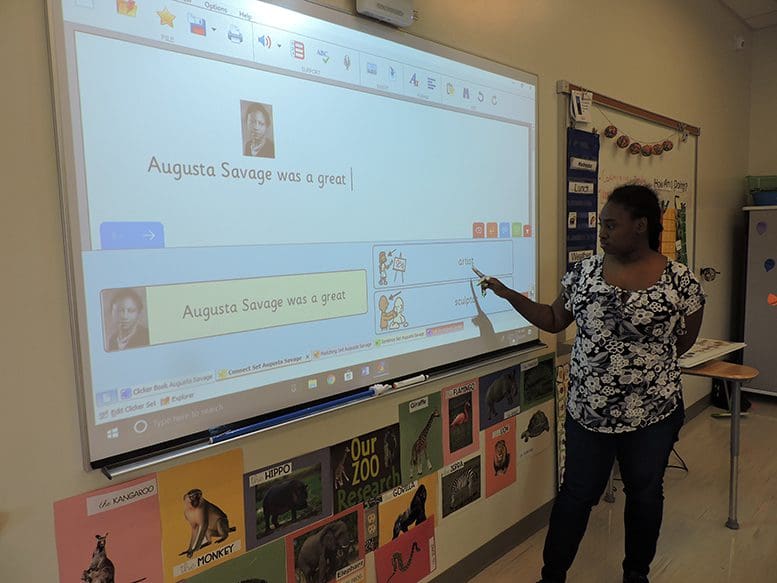
Diane: One of our teachers was planning a Black History unit. I was able to rapidly create Clicker activities to cover the curriculum content and help the students demonstrate their comprehension at the end of the unit.
What were the outcomes? Can you give us any specific examples of successes you have had?
Christy: As an OT, I am always looking for ways in which technology can be used to help our students better access the curriculum. The use of Clicker has given me clear indications of cognitive progression, for example:
- I have seen students progressing from single picture cause and effect activities to interacting with multiple images on a grid and accessing talking books.
- We record baseline data for our students on areas like visual engagement and motor targeting. The use of Clicker to support students in these areas has shown quantitative improvements of 20%-30% on these scores, which is fantastic.
- I ran a project on the topic of "All About Me" with some of our students. I saw an amazing level of success with students creating their own talking books in Clicker and presenting them back to their classes. For some students, this was the first time they had been able to present to their peers.
Which (if any) of our training / PD materials did you use to help your staff get to grips with the software?
Diane: We just started weekly trainings with our new staff this semester, and the 90 second videos and PDFs on the website are wonderful for introducing individual components of Clicker. These resources save a lot of time for me in the training preparation, and even more importantly, provide instructional materials for the staff to refer back to after the training. They have been very effective for us.
I would also like to mention the excellent level of customer support that I receive when I have questions – being able to pick up the phone and get expert help from the Crick Software team when I need it is invaluable.
Do you download the free curriculum resources from LearningGrids, make your own, or both?
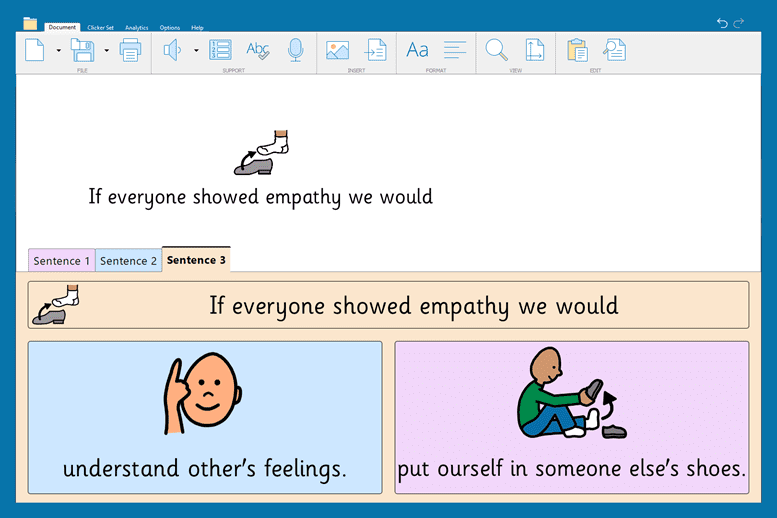
Diane: I counted them up before this interview, and I have over 400 Clicker activities, which are a combination of created activities made from scratch as well as adapted LearningGrids resources. My starting point for resource creation is often LearningGrids, and I either use the activities as they are or they are incredibly easy to adapt for the student I am working with. It’s also great that a range of differentiated resources are created for each new topic on LearningGrids – we will often see all of them being used in a single classroom!
What would you say is the best thing about Clicker?
Christy: When I communicate an idea to a teacher for supporting a student, the ease and speed with which they can translate that into a Clicker activity.
Diane: I see a hugely increased level of engagement with the students when Clicker is used in the classroom. The pride in the students’ faces when they can build a sentence, make a choice, or participate in a conversation cannot be overstated.
What would you say to other schools considering buying Clicker?
Diane: Because it so adaptable, Clicker can be used with students of any ability. It’s a one-stop tool for everyone.
Christy: Clicker has had a positive effect on student engagement in our school. It can be used in both general education and special education environments.
