Color coding with Clicker
Recently, we have been speaking with schools to find out how they are using Clicker in a school-wide approach to learning support.
One school explained that they use Clicker in upper elementary classrooms to consolidate word classifications. Educators take Word Banks and color code them to match the school’s system. For example, creating a Word Bank with a yellow tab for nouns, a blue tab for verbs and an orange tab for adjectives.
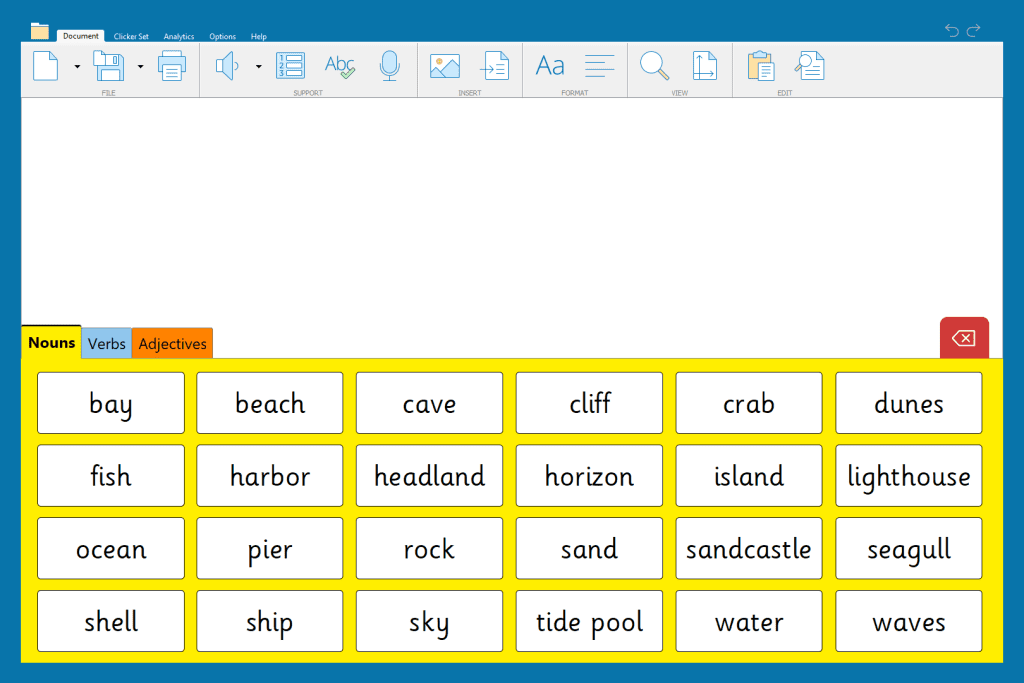
There are hundreds of ready-made Word Banks available on LearningGrids, linked to a wide range of curriculum areas, and it is quick and easy to edit them to add your own color coding! In edit view, you can change the color of your grids or individual words by clicking or tapping the color palette.
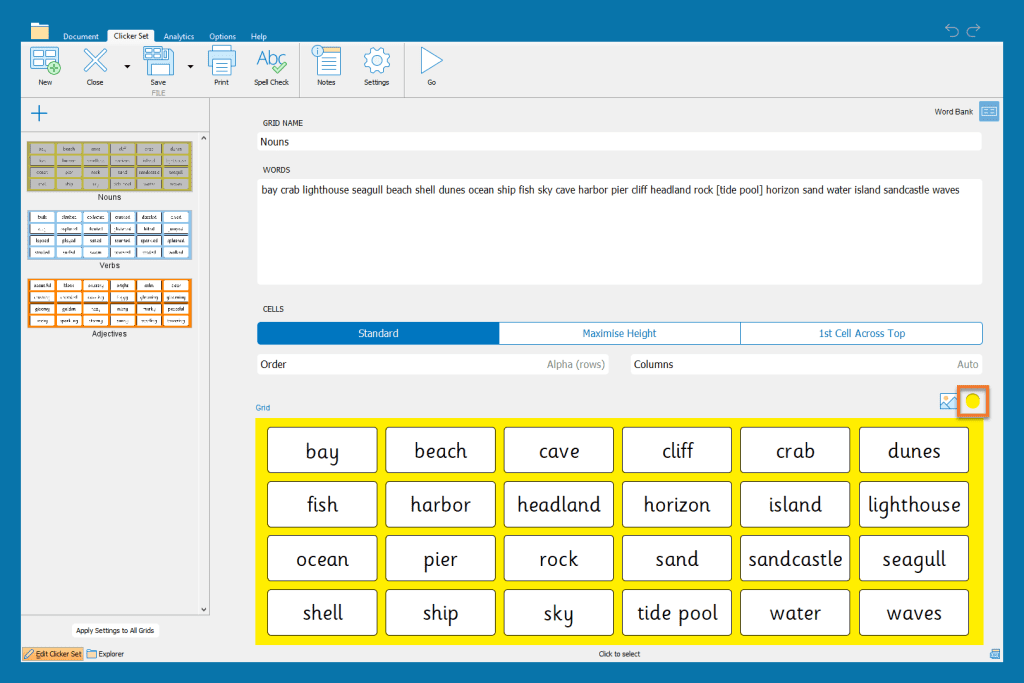
Clicker is a flexible tool that allows you to add or remove this type of scaffolding depending on the needs of your learners. You can quickly remove this color coding for your older learners, so you can identify how well the children’s understanding of word classification has progressed.
Watch our tutorial to find out how to edit a Word Bank from LearningGrids, or how to quickly create your own from scratch!
For information on how to use Clicker to support Colourful Semantics, watch our on-demand webinar or check out the resources on LearningGrids!
