Bridging the word gap with DocsPlus
According to a recent report, almost half of all secondary teachers feel their students are under confident in using general academic vocabulary when they transition from elementary to secondary school. And, teachers say, efforts to help improve students’ vocabulary are hampered by lack of time and additional staff support, such as teaching assistants. Recent school closures have contributed to a widening of this ‘word gap’.
An essential part of helping students to bridge the word gap is by explicitly teaching and revisiting key vocabulary, and DocsPlus is a great writing tool for helping struggling writers to overcome these barriers. There are many new writing challenges to master as students move through secondary school, from writing in different genres to incorporating subject-specific vocabulary. With features like intelligent word prediction, speech support and vocabulary banks, DocsPlus empowers students to achieve writing success across the curriculum.
With access to hundreds of free, ready-made Wordbars via our LearningGrids website, you can select and even edit targeted vocabulary banks, giving your students instant access to the curriculum-specific words and phrases they need for their current assignment. This could take the form of an alphabetically arranged glossary, or vocabulary arranged under topic headings to guide students’ word choices.
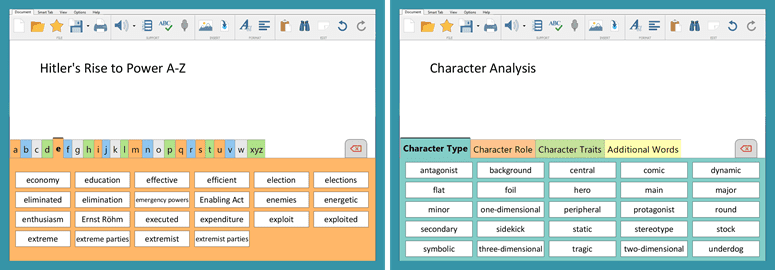
Of course, developing writing skills is about more than just vocabulary – it’s also about learning and understanding how to effectively structure different genres of writing. With DocsPlus, you can teach students those structures by offering a Wordbar with paragraph starters and relevant supporting vocabulary.
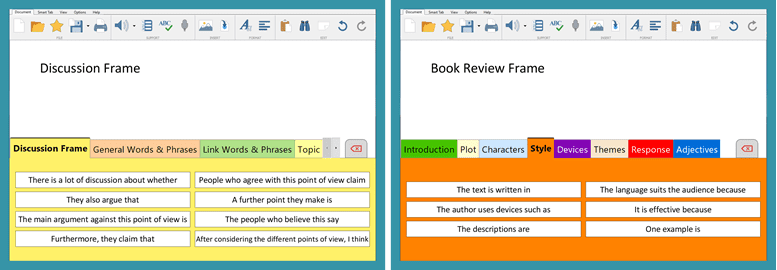
On LearningGrids, you’ll find lots of examples of these frames and word banks to help students scaffold and enhance their writing – on a whole range of curriculum areas. More resources are added regularly by the curriculum team. Most importantly, they are very easy to edit, enabling you to tailor activities to your exact requirements, saving you time and helping students to close the ‘word gap’.
