We are delighted to announce that Clicker has won the 4 star Teach elementary Award in the SEND category.
Organised by the educational magazine, Teach Primary, the Teach elementary Awards recognize the UK’s leading educational resources for KS1 and KS2.
Covering nine education categories, including English, Foundation, Wellbeing, and SEND, the awards are designed to help teachers discover the best possible resources to support elementary students of all abilities.
Clicker was selected for the 4 star SEND award by an expert panel of judges, including representatives from the UK Literacy Association (UKLA), the Teacher Development Trust, and the Carnegie School of Education at Leeds Beckett University.
We couldn’t be prouder to have won this award. It’s a testament to the dedication of our talented team, who work to make Clicker the accessible, child-friendly and inclusive resource it is today.
As always, we would like to say a huge thank you to all the schools, parents and educators who continue to support us in our mission to tear down barriers to learning. With your help, Clicker is helping children worldwide to gain independence, build confidence, and achieve reading and writing success.
If you would like to see Clicker in action, don’t hesitate to book a free staff demo for your school.
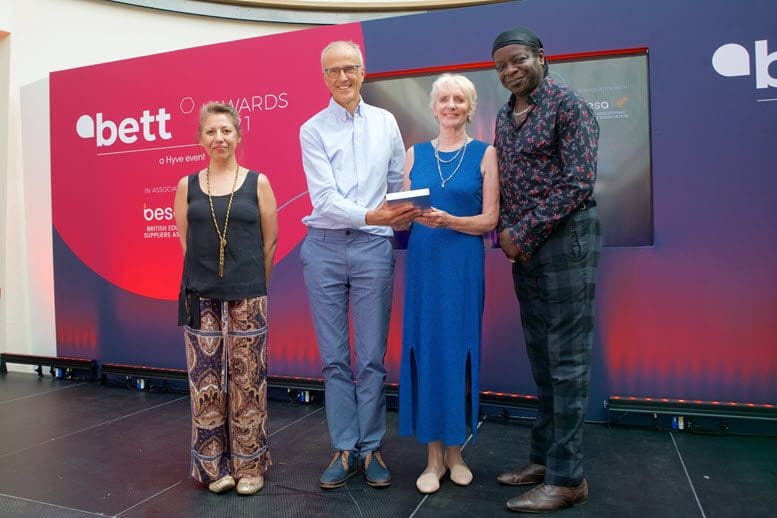
We are thrilled to have won the 2021 Bett Special Educational Needs Solutions Award with Clicker – making it Clicker’s seventh win and our twelfth Bett Award overall!
Now in its 36th year, the Bett Awards bring together innovative and practical educational technology solutions from industry experts. Everyone at Crick is over the moon to win this award – the BETT Awards are the ‘Oscars’ of the EdTech industry, and winning one makes us so proud! It reflects the commitment of our incredibly talented team, and all the dedicated teachers who work with Clicker every day to build confidence and success for children of all abilities.
Here’s what the judges had to say about Clicker:
“The judges were impressed with Crick’s commitment to the ongoing development of Clicker to support literacy and communication for children with special needs. The new tools and features including Cloze Procedure and Picturize are excellent additions. The platform is fully accessible to support children’s needs and teachers have access to training and resources to deliver valuable learning. The new Analytics feature also gives teachers valuable insight for assessing and targeting activities.”
Thank you to everyone who provided us with the success stories and wonderful feedback that we submitted as part of our entry.
If you would like to see Clicker in action, don’t hesitate to book a free staff demo for your school.
We recently spoke with Ellie Bennett, a teacher in the Specialist Support Unit at Gorseland Primary School, about how they have been using Clicker 8 to support their students.
Gorseland have seen lots of great outcomes from introducing Clicker, including a more positive attitude towards writing and improvements to the children’s punctuation, vocabulary and grammar. Clicker has also been great for developing their students’ writing confidence, and they have been able to share many proud moments with the children.
“We use Clicker across the SSU and in Key Stage 1 and some of Key Stage 2 in our mainstream school. Certain students have really taken to this style of learning. We use Clicker regularly, especially in English, foundation subject lessons and any activities which require forming sentences. For example, diary writing in History, labelling in Geography and writing a scroll in RE. We have really embraced the benefits of Clicker across the curriculum.
For those who can write simple sentences phonetically, I encourage the use of Clicker to improve their spellings and enhance their sentences with adjective suggestions or sentence starters, as an example. For children who we are working with to develop their independence with writing, we have found using the speech feedback tool to listen to the words in the bank and select the next word in the sequence has built up their self-esteem.
We have seen a great improvement to the children’s sentence formation and written work since beginning of October 2020 when we first implemented Clicker. I spent some time reflecting on the progress in writing since using the Clicker banks and I would definitely recommend this to another school.”
You can read this fantastic story in full here.
We’ve been fortunate enough to see some amazing examples of children achieving writing success with Clicker over the past few months. Here are just a few of our favourites.
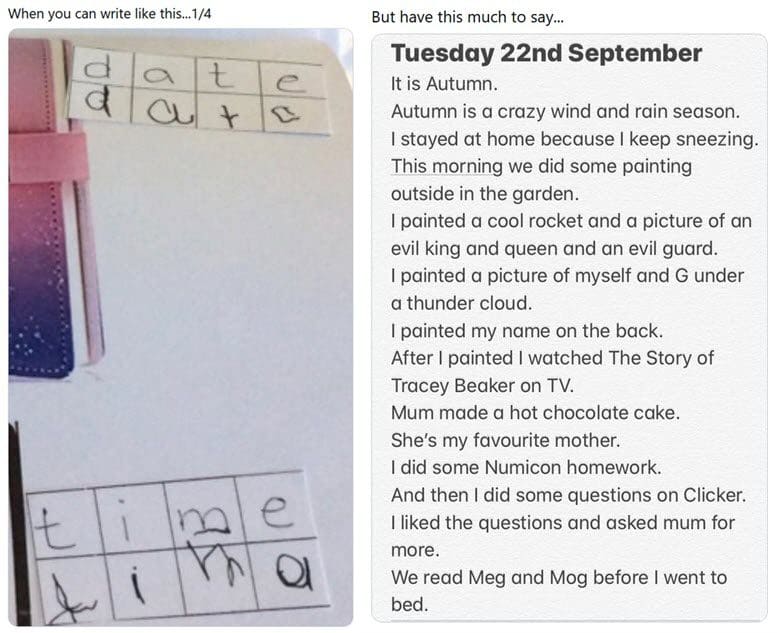
We received a lovely Clicker 8 story from Karin Crimmins on Twitter. It’s always great to see the difference Clicker can make for a child and their writing output. Thank you, Karin!
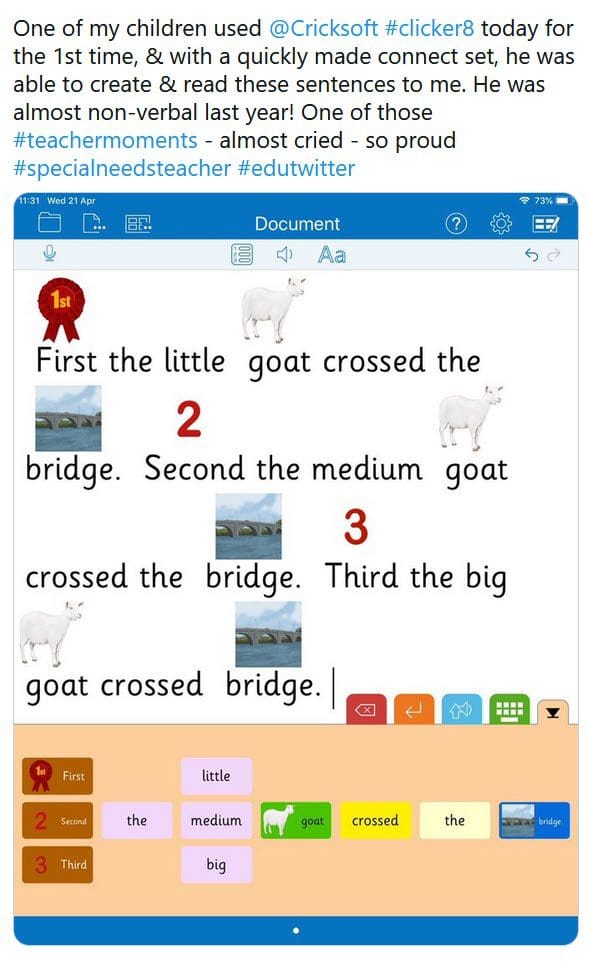
Emilie tagged us on Twitter to tell us about one of her student’s incredible progress. Using Clicker 8, the child was able to create a Connect Set by himself and read the sentences back to her. An amazing development from a formerly non-verbal child!
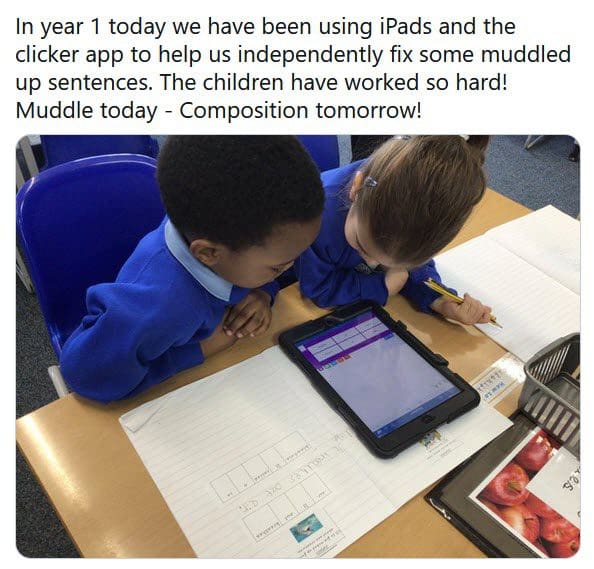
A challenge for many children during the early stages of their writing development is sentence formation: thinking of the words they want to say and getting them in the right order. At Waterfield Primary School, their Year 1 students worked hard to fix ‘muddled up’ sentences with Clicker Writer. Muddle today – composition tomorrow!
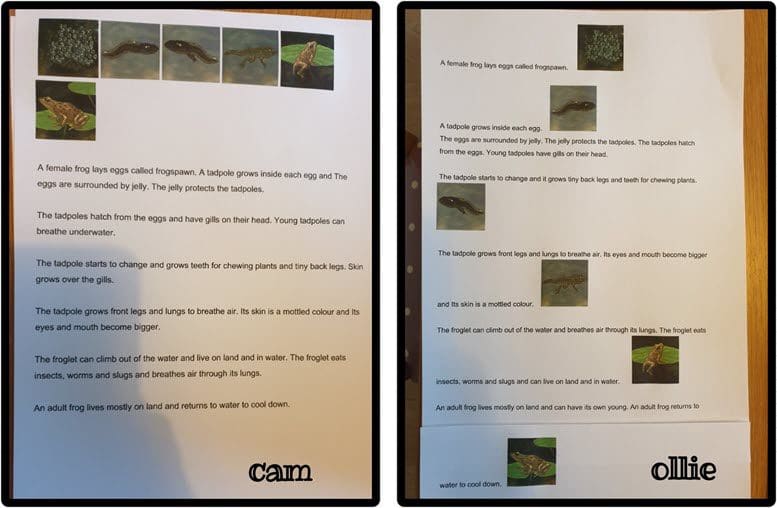
We love seeing the updates from Ollie and Cameron. Earlier this year, their mum posted a short video of some the work they had been doing during lockdown, including writing about the life of frogs with Clicker. Great work as always, guys!
If you have any Clicker successes you want to share with us, be sure to tag us @Cricksoft on Twitter and Facebook – we love seeing them all!
A few weeks ago, we announced our support for Filling in the Blanks and some of the fundraising ideas we had planned this year. One of these was their Virtual 5K – a sponsored run/walk raising money to help restock the charity’s inventory. These valuable funds allow Filling in the Blanks’ to continue providing much-needed resources that families can count on.
On April 25th, we took part in the event, running and cycling a combined 174km (or 108 miles). We also managed to exceed our initial fundraising target by $100.
Here are just a few of snaps of our treks:
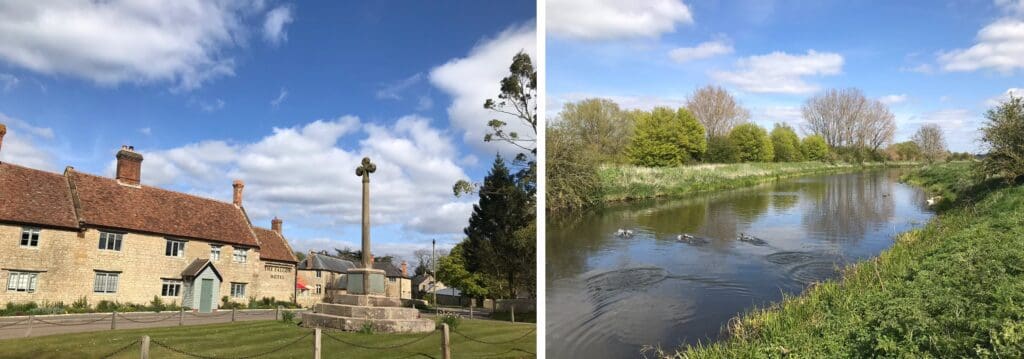
Nicki, our Events Officer, took a walk around Castle Ashby in Northamptonshire and captured some great shots of the English countryside.
Jo, our Curriculum Manager, completed her 5K with her four-legged friend.

Finally, John and Ann Crick left us all in the dust with their impressive 51-mile bike ride around Northamptonshire (with a quick pit stop for coffee and cake).

Keep an eye on our social media pages for more information about our fundraising efforts.
We recently spoke with Emma Gorton, the SEND Coordinator and Key Stage 2 phase leader at Micklehurst Primary School, about the school’s decision to upgrade to the latest version of Clicker and the positive impact the software is having on their students’ writing enjoyment and confidence.
“We have found that many of our children are experiencing barriers to writing, such as dyspraxia or dyslexia, and some children simply struggle to record their ideas with pen and paper. These barriers to writing also seem to have increased since the COVID-19 lockdown. Fortunately, Clicker just seems to switch on a light inside of them and they’re keener to write. A lot of the children are now, as a result of Clicker, more successful writers and enjoy writing much more.
When we first began to use Clicker, we only used it with children who had barriers to writing, but we discovered that even children who didn’t have barriers to their learning were eager to use it, as well, creating a real sense of inclusion across the school. With Clicker, the children can word process and at the same time add pictures, and it’s really inspiring them to do their best work.
Clicker has truly transformed the writing experience for our students. The children love that they can use it to create narratives, reports, explanations – anything they want to write, they can do it with Clicker. Clicker has raised their self-esteem beyond words and revolutionized how they feel about their writing.”
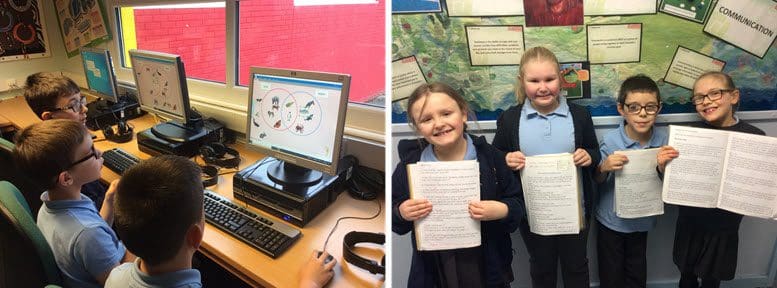
You can read the full story on our website.
Erika Lye is the founder of Mountain Movers, an inclusive education charity that supports children with complex needs. We recently spoke with her about the positive writing outcomes they are seeing since they started using Clicker.
Erika told us how empowering Clicker is for the children, as it enables them to express themselves in their writing, engage with literacy tasks, and ultimately boosts their self-esteem.
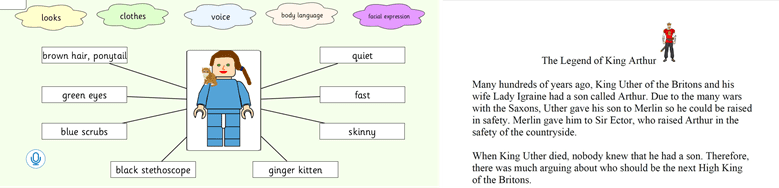
“We focus on children with additional needs, but we always make sure we’re including everybody who wants to participate. For children who may otherwise feel disengaged by literacy tasks, Clicker is a real confidence booster because it gives them a medium to express themselves.
It’s such a positive, self-esteem-building piece of software. These children might feel very vulnerable and like they can’t do anything academic, when actually they’ve got so much potential – they just need a different way of being able to show it.
We also helped the parents understand that by investing just a little bit of time and effort, they can make Clicker individualized to their child’s needs – they absolutely loved it.”
You can read Erika’s success story in full here.
In a recent post, we highlighted how teachers could use a Clicker Talk Set to support new arrivals at their school. Today we wanted to share some more ideas about how you can get to know your new class!
In addition to the Interview Me set that children can use to record a personal profile, they can also use the Clicker Board Set This Is Me to provide simple autobiographical information to use in an introductory presentation about themselves.
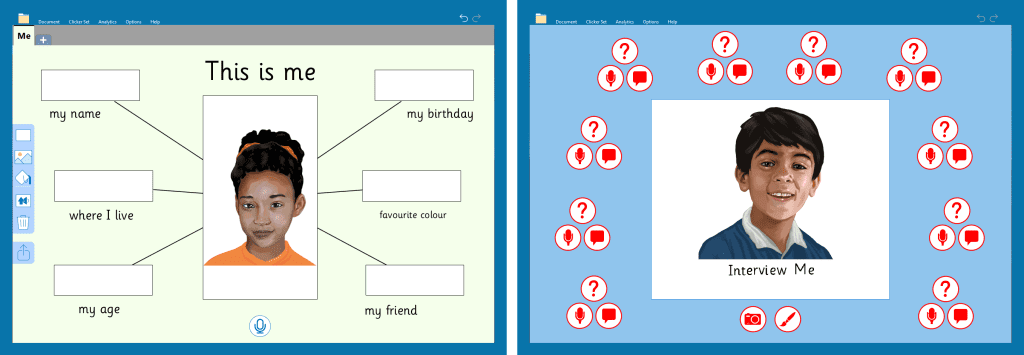
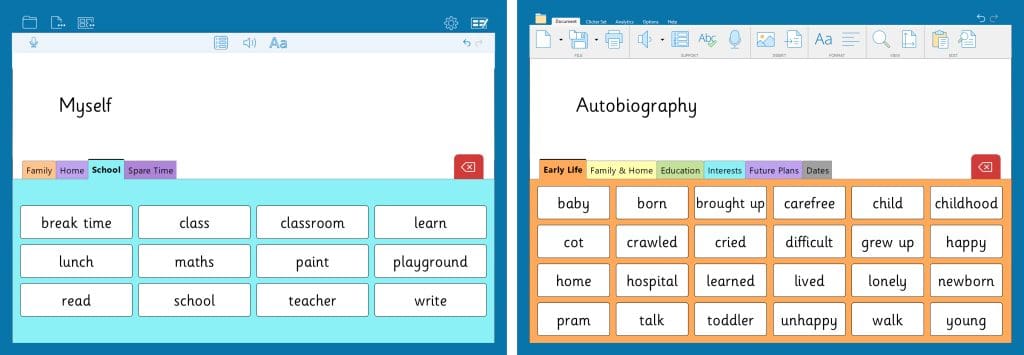
The Myself Word Bank provides key vocabulary under the headings of Family, Home, School and Spare Time to help students write an introduction about themselves. For older writers, the Clicker Autobiography Set provides more a more extensive Word Bank to support their writing, and encourages learners to think about what they might want to do in the future.
The start of a new school year is also a great time to set goals for the year ahead, and we have a variety of resources to help tackle this task. The Connect Set My Goals provides beginnings, middles and endings to create sentences about what students need to work on at school. The Word Bank Personal Goals supports more independent learners to write about their targets. The Custom Sets My Goals One, Two and Three provide different levels of support to help students of all abilities to record their personal goals and review their achievements.
You could also use the Our Classroom Rules to write a collaborative list of classroom rules for the year.
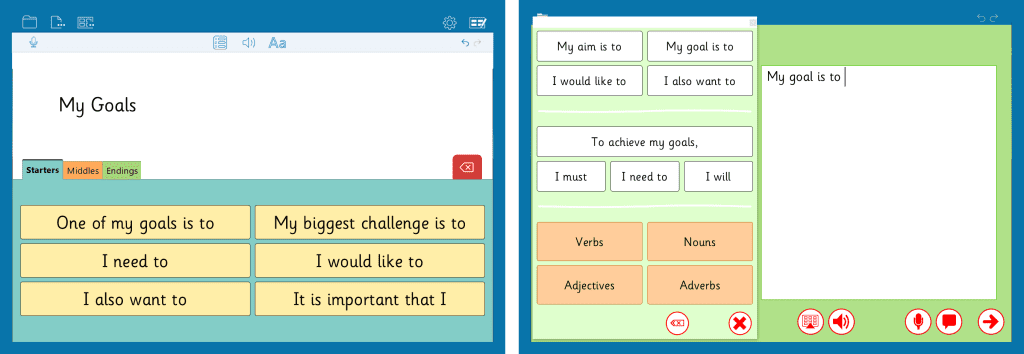
Finally, for learners who are struggling with their new environment more than others, you can encourage them to write about how changes to their routines make them feel and what they can do to feel better with the When My Routine Changes resource.

We have lots of resources in the About Me section of LearningGrids to help you and your students get to know each other. If you have any interesting ways you have used Clicker with your new students, please share them with us– we’d love to see them!
Andrew Simpson is a teacher and AT specialist who writes for Access: technology north’s blog. In his review of Clicker 8, he comments on the wide array of supportive features the software provides, especially for AT users and educators.
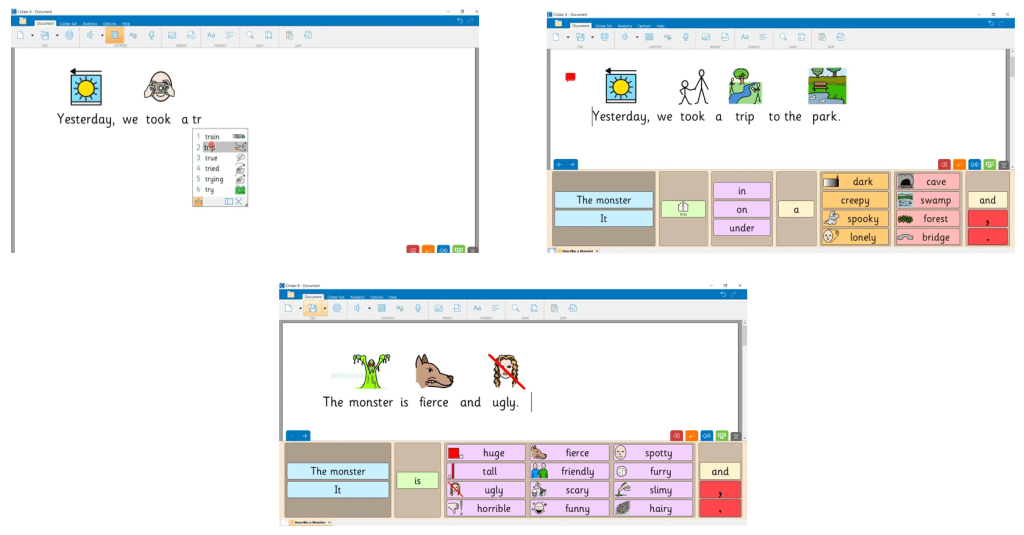
"For those who are unfamiliar with Clicker, it is a child-friendly word processor that’s jam-packed with assistive features to facilitate extended writing and help to develop literacy skills, available on Windows, Mac and iOS. It offers voice feedback, predictive text, symbol support and handy little voice-notes to assist with the writing process and then a whole myriad of ‘Clicker sets’ that can be tailored meet the individual learning needs of each user – more on those later.
In terms of accessibility (which is what I’m here for) it has both EyeGaze and Switch functionality built in and everything about it seems to have been designed with this in mind. We often come across software that is great for ‘standard access’ but that we have to find lots of work-arounds and hacks to make it work for alternative access methods.
From an end-user perspective, there’s an awful lot to be said for a seamless experience and feeling as though the software is for them as much as it is for everyone else (and they don’t need to run two extra bits of software and plug in 3 additional wires to make it work).
Anyone can use Clicker and even if they don’t necessarily need all of the bells and whistles it offers, I think it’s so important that they can.”
You can read the full review here.
Thank you to everyone who has sent in pictures, work and Clicker success stories – it’s fantastic to hear that so many children were able to enjoy and access literacy, some for the very first time, during this difficult period.
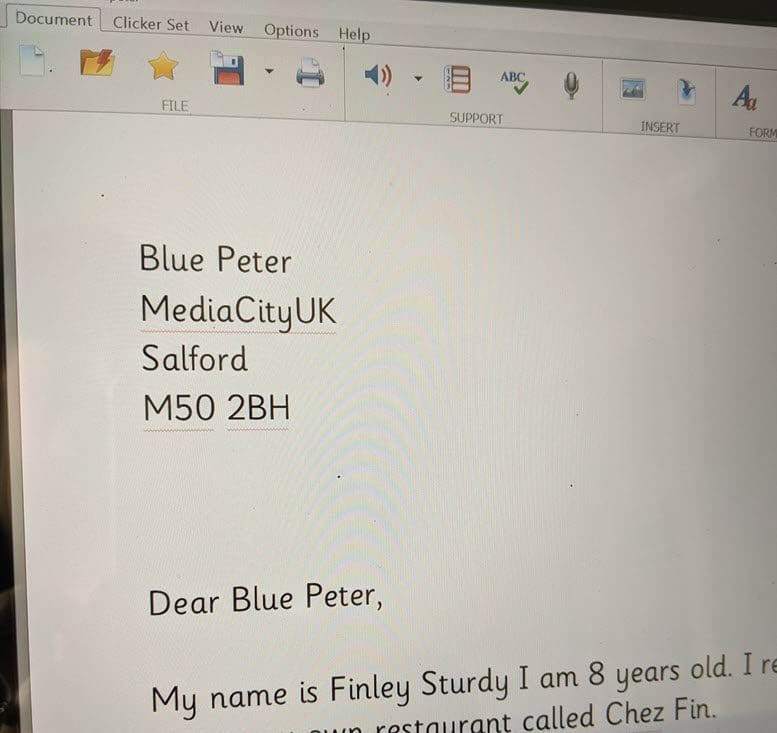
In the UK, Access: technology north shared with us this example of a child using Clicker to write to children’s television program, Blue Peter! Best of luck to you, Finley – hope you got that Blue Peter Badge!
Learning about your hometown’s history is very important – and it looks like year 4 students at Slade Primary School are doing just that, using Clicker 8 to type up their findings. Fantastic work!
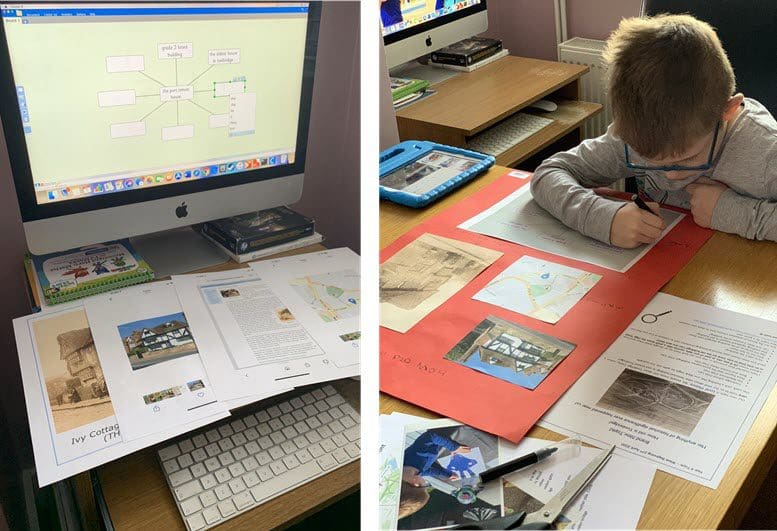
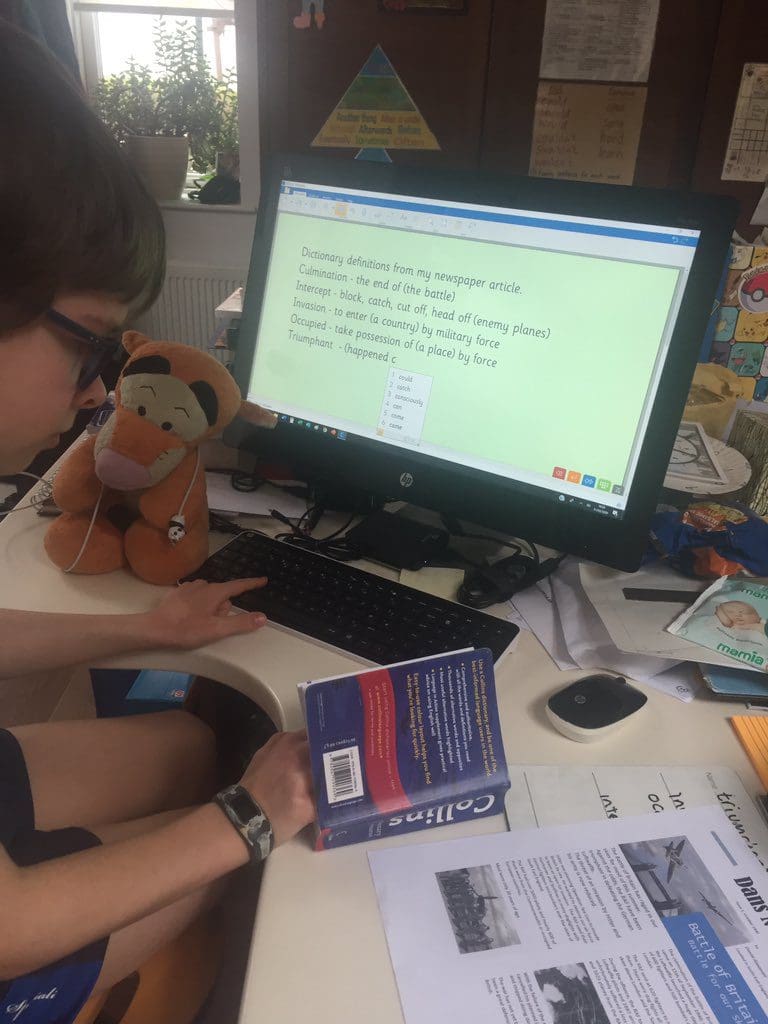
This young learner used Clicker 8 to write the definitions of some of the more difficult words from his newspaper article. Plus, you can always listen back to them if you ever have trouble with the pronunciation!
If you have any Clicker successes you want to share with us, be sure to tag us on Facebook and Twitter – we love seeing them all!
LearningGrids has numerous Clicker and DocPlus resources that can support or extend the BBC Bitesize lessons.
The BBC Bitesize website is currently providing handy daily lesson schedules and we have many resources on LearningGrids to support your learners to achieve the lessons outlined. This is the link to this week’s lesson schedule and daily lessons here. Here are some of our favourite complementary resources for this week:
- Younger learners can create sentences, with correct punctuation and adjectives using our Character Adjectives and Add the Adjectives – Places resources.
- Learners can add more detail to sentences using our Adverb Sentences, Choosing Adverbs resources and the Adverb Word Banks.
- The Toys and Materials sets offer learners a book to read, and resources to create their own book or write sentences about the materials around them.
- The Ancient Egypt sets help learners to write about what life was like for Egyptians over 5,000 years ago
- Learners can use the Solids to Liquids resource to record observations of an ice cube melting and sort the properties of different states in the Solids, Liquids and Gases Chart.
- For the older learner, our Job Letter Wordbar supports formal letter writing, and the Letter Writing A - Z offers vocabulary for writing letters for a variety of occasions.
- Geography students can use the Glaciation A - Z Wordbar which supports writing about glacial processes and landforms.
- The Text Analysis Wordbar provides starters, vocabulary and a structure to help learners respond to a literary text.
This is just an example of how well the range of Clicker and DocsPlus resources match up with the Bitesize lesson planners. If you need any help finding LearningGrids resources that cover a particular topic or learning objective, please pop an email over to info@us.cricksoft.com and we’ll be very happy to assist you.
The Neurodiversity Awards are dedicated to celebrating the strengths that neurodiversity brings to communities and helping neuro-diverse people to maximize their potential.
We’re thrilled that Clicker has won the Assistive Technology award, making this our second win at the Neurodiversity Awards after DocsPlus won in the same category last year.
Here’s what the judges had to say:
“Anything that helps kids access education is a winner; it raises children’s self-esteem and allows them to be more creative. So many benefits, irrespective of what type of neurodivergence they have.”

This is such a fantastic win for Clicker! Thank you to everyone who provided us with wonderful comments and feedback for our entry.
If you want to find out more about how Clicker could support your learners, please get in touch to arrange a free web demonstration.
We’re very excited to announce that Clicker is an ERA Awards finalist in the Special Education Resource category.
The Education Resource Awards have been going since 1997 and are now an established annual event to celebrate outstanding success in the education sector throughout the UK. We have won two ERA Awards so far, in 2018 and 2019, so here's hoping that we can do it again in 2020!
The Education Resource Awards have been going since 1997 and are now an established annual event to celebrate outstanding success in the education sector throughout the UK. We have won two ERA Awards so far, in 2018 and 2019, so here's hoping that we can do it again in 2020!
The winner will be announced on the 27th March – we’re keeping our fingers crossed until then!