Harness the power of pictures
For our support blog this week, we are continuing to explore the most asked questions that the Support Team receive from Clicker users. Today we are going to look at how you can make your own picture libraries available to use within Clicker for Windows/Mac.
Whether used for visual stimulation, talking points, or to aid understanding, pictures are a valuable tool for supporting literacy development, so…
Clicker’s ‘Picturize’ button enables you to instantly add pictures to cells in any Clicker Set, including Sentence Sets, Connect Sets, Word Banks, and to whole passages of text within a document. You can choose from over 4500 Clicker curriculum pictures, but you may wish to incorporate your own images and photos too. Here’s how:
- Begin by creating a folder on your computer (choose somewhere it won’t be easily deleted).
To create a folder, right-click and choose New, then Folder - Place all images you would like to be used in Picturize inside this folder. Make sure they are named after the word you would like them to represent.
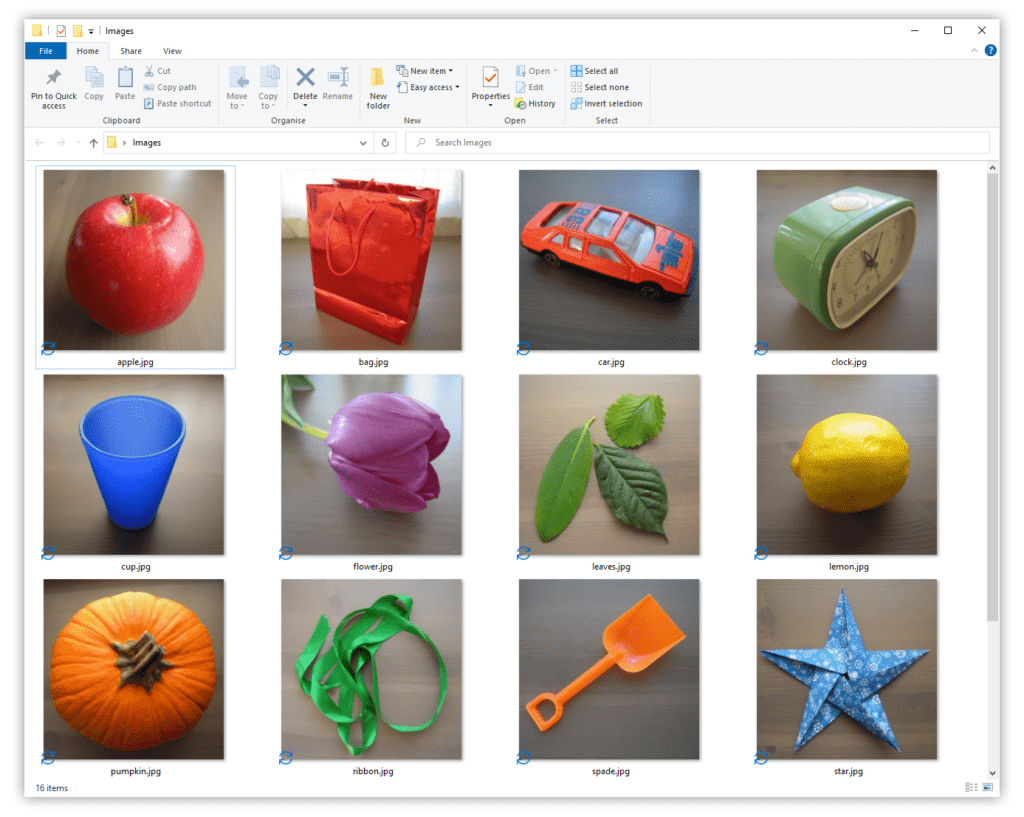
- Inside Clicker, head to the top Options ribbon tab, then Pictures.
- Click the Picturize tab.
- Click the + icon in the bottom-right corner.
- Choose Browse, then find the folder you created and click OK.
- Either leave the Label as it is or change it. This doesn’t affect anything, other than what it’s displayed as.
- You should now see the newly added folder in the Get pictures from: list. Click the folder, then click the
 arrow to move it up the list.
The higher it is up the list, the more it is prioritised. For example, if CrickPix2 has an image for “dog” and you also have an image for “dog”, as long as your folder is higher up the list, your image will be used.
 arrow to move it up the list.
After following these steps, Picturize will automatically select the newly added pictures.
Remember, if you ever need our support, we’re just a phone call or a click away:
Call: 203 221 2697 or visit: https://us.cricksoft.com/contact-support/
