Anchor Charts and Clicker Board
Anchor charts can be a valuable tool to support learning in the classroom. They are used to capture and reinforce important information from a lesson. They are usually bright and colorful and are designed to catch students’ attention. Ideally, a teacher and their class create (or complete) the charts together – with the aim that the charts will “anchor” the learning for the students.
Have you ever thought about using Clicker Board to create an anchor chart? With Clicker Board, you can set up the framework for the anchor chart ahead of time – such as this one on Character Traits.

Clicker Board has lots of different cell shapes and colors to use, and there are thousands of images in the Clicker Picture Library that you can include as well. You and your class or small group can complete the chart together using a large monitor or whiteboard. By pulling the key information from the students, they will be actively engaged in their learning.
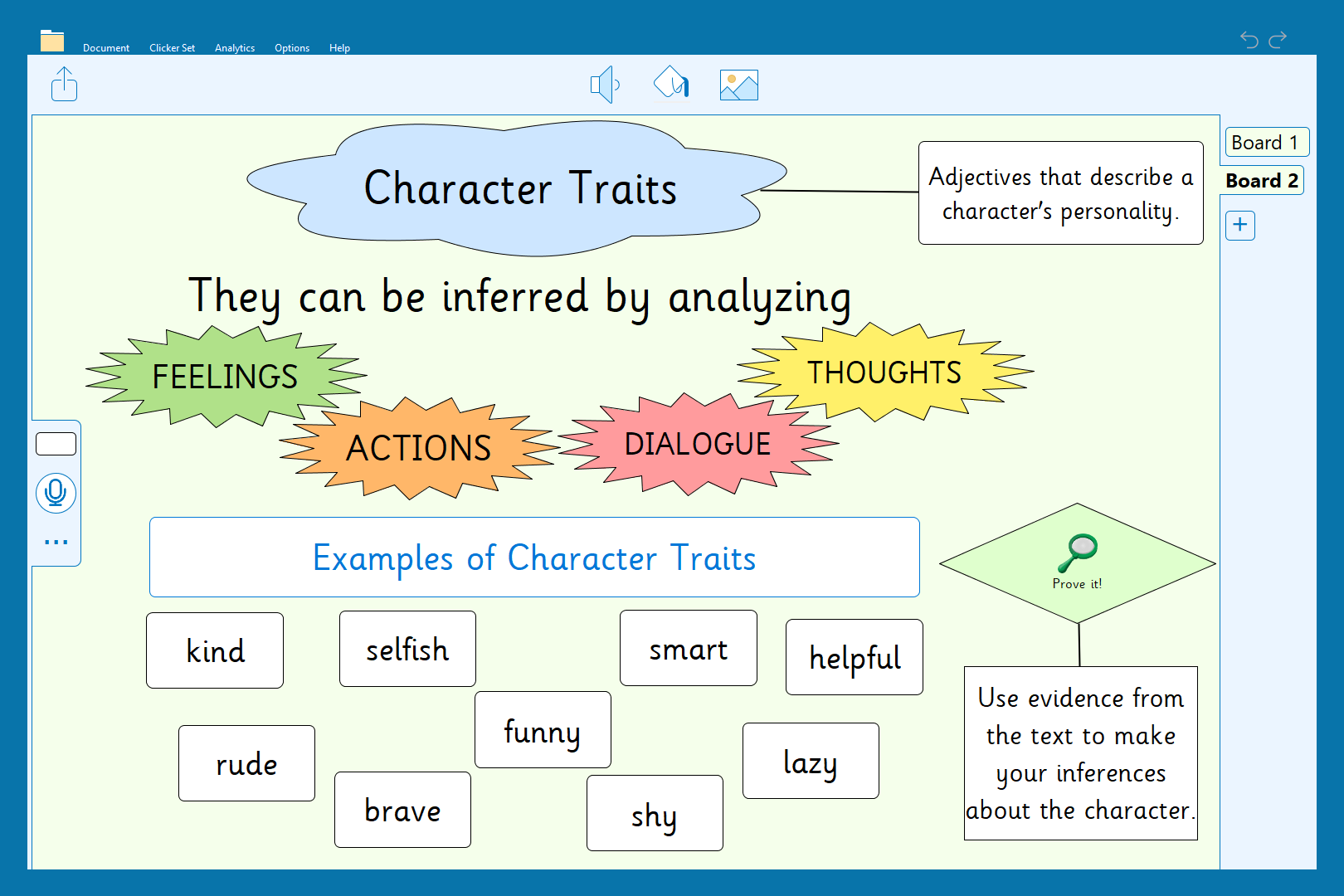
The completed Clicker Board can then be printed out for a classroom display or kept online as part of a digital library of anchor charts – an easy reference point for your students. And you have a template that you can use again and again – what a fantastic time saver!
